The Repeat booking feature allows a business to make multiple bookings at the same time.
When Repeat Booking feature is activated on your account from Settings, repeat bookings can be added from an existing booking on your dashboard. This means you must add a booking prior to making a repeat booking as the existing booking details are used for the repeat bookings.
Adding a repeat booking
- Select the
 next to the booking to add a repeat booking
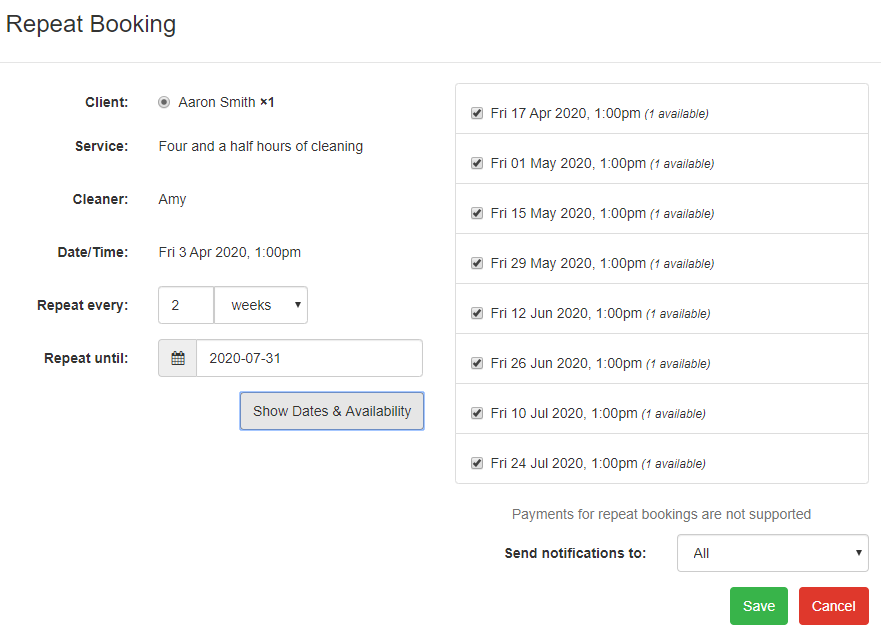
 - The repeat booking page will open with the current booking details displayed against the client
- Select the repeat frequency and select the period (Days, Weeks, Months)
- Select the end date when the repeat will finish
- Select show Dates and Availability to list all the booking dates. If a booking date is not available it will be shown in red as not available. The list of available dates can be adjusted and some dates removed
- Select Save to add all the select booking times
Repeat frequencies examples
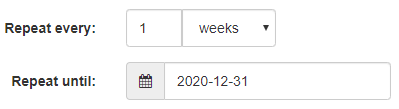
- Repeat booking every week until 31 Dec 2020
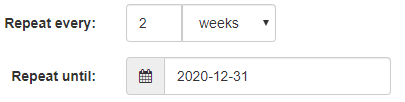
- Repeat booking every 2 weeks until 31 Dec 2020
Cancelling all bookings in a repeat booking sequence
- Select the
 next to the booking to cancel the booking
 - A booking in the repeat booking sequence has the option to Cancel all repeat bookings contained in the repeat booking sequence. Select this option to remove all future bookings queued.
- Select Cancel Booking
Booking confirmation notifications
When a repeat booking is added only one notification is sent with all the booked dates.
Booking cancellation notifications
When a repeat booking is cancelled only one notification is sent with all the cancelled booking dates.
Can my clients book repeat bookings online?
No, this is a Provider (business-user) only feature.
Your clients can only make single bookings on your public online booking page. If after that first booking, you decide to lock things in for the long haul, you can book any individual client for a repeat booking.
Are payments supported for repeat bookings
No, card and voucher payments are not supported for repeat bookings at this time.
Was this article helpful?
That’s Great!
Thank you for your feedback
Sorry! We couldn't be helpful
Thank you for your feedback
Feedback sent
We appreciate your effort and will try to fix the article