The best way to export your booking data is to use bookitlive reports.
Use the BookItLive Reports to export Booking Data to a .csv spreadsheet file to use in Microsoft Excel or Apples Numbers.
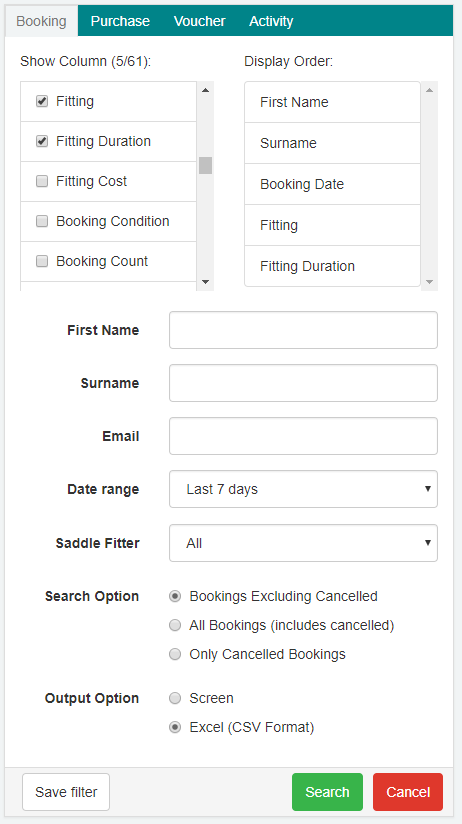
To export all of your Bookings or a custom selection:
- Select Reports tab.
- Select you desired columns.
- Select a Date range and enter beginning and end dates to cover all your Bookings.
- Select the Output option to Excel (CSV Format).
- Select Search
Dependent on the amount of booking data your business has, you my need to set a shorter date range to reduce the size of the data being exported.
Was this article helpful?
That’s Great!
Thank you for your feedback
Sorry! We couldn't be helpful
Thank you for your feedback
Feedback sent
We appreciate your effort and will try to fix the article