bookitlive can be use for once off event and will cater for group bookings with various pricing options.
Creating an event
Add a service for the event
- Using the Configuration tab select Services page
- Use the Add Service button to create a new service for the event
- Give the Service a name and a description
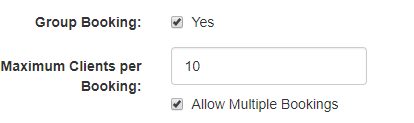
- If the event is for multiple people change the setting for Group Bookings to Yes
- If you want to allow a customer to book for multiple people change the setting Allow Multiple Bookings to Yes
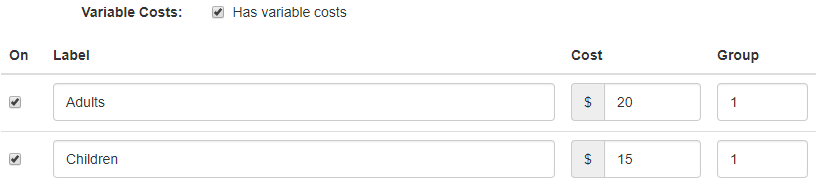
- If payment is required at a cost price, this is the price the customer will pay for the event. If you need different pricing for Adults, Children or special group pricing select variable costs (Up to 5 different cost options are available)
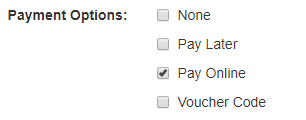
- When taking a payment select the Payment Option PayOnline
- Leave all other settings as default
Add a Resource for the Event
- Using the Configuration tab select Resources page
- At the bottom of the page select the Add Resource button
- Give the Resource a name, this can be the same as the service name for the event
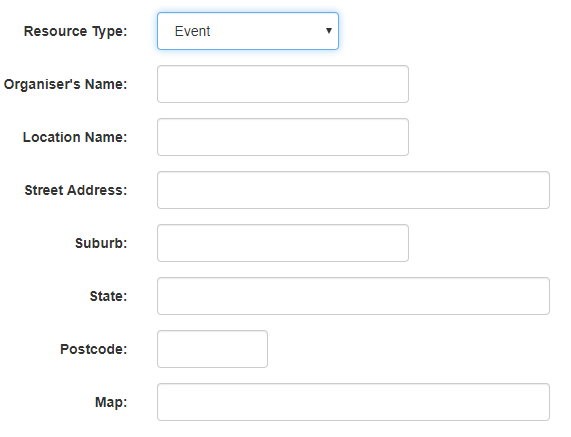
- Change Resource Type and select event to add event address details that will be used in the calendar file and merge tags in email and SMS notifications
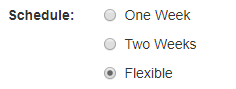
- Change the Schedule to Flexible Schedule
- Link the service to the resource by selecting the service from the list
 Adding the Schedule for the event
- Using the Tools tab select Add Once Off Schedule
- Select the Date of the event
- Select the Time of the event
- Select the Resource for the event, this is the one you created earlier
- Select the Service for the event, this is the one you created earlier
- Save the schedule
Was this article helpful?
That’s Great!
Thank you for your feedback
Sorry! We couldn't be helpful
Thank you for your feedback
Feedback sent
We appreciate your effort and will try to fix the article