bookitLive allows you to customise the content of the SMS notifications that are sent to your clients.
To edit the SMS templates:
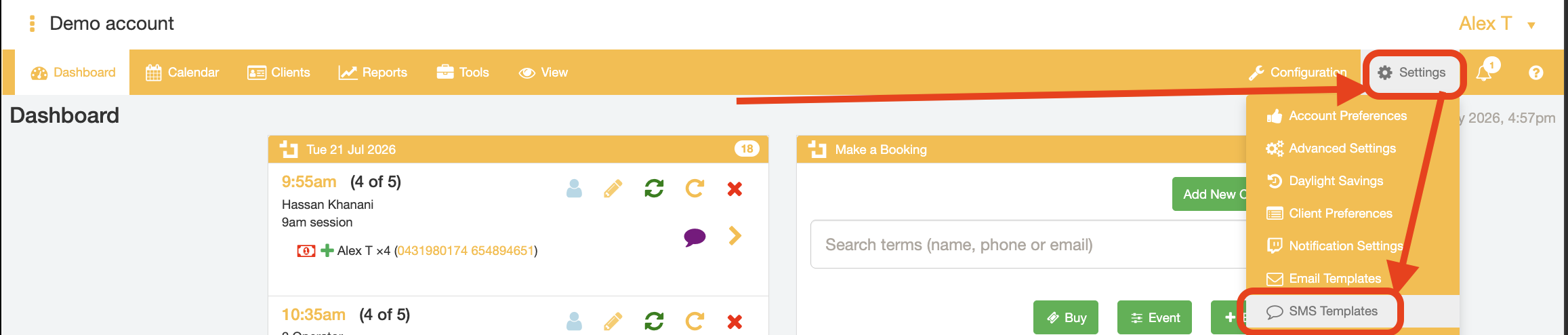
- Go to the "Settings" tab and select the "SMS Templates" menu option
- Select the SMS Template record you want to modify from the "Templates" dropdown list.
Each template is related to a specific action performed by the BookItLive user, and is delivered to the specific user stated in the SMS template name
For example, a Client (customer) who has performed a booking confirmation will receive the message stored against the "Booking cancellation to client" SMS template.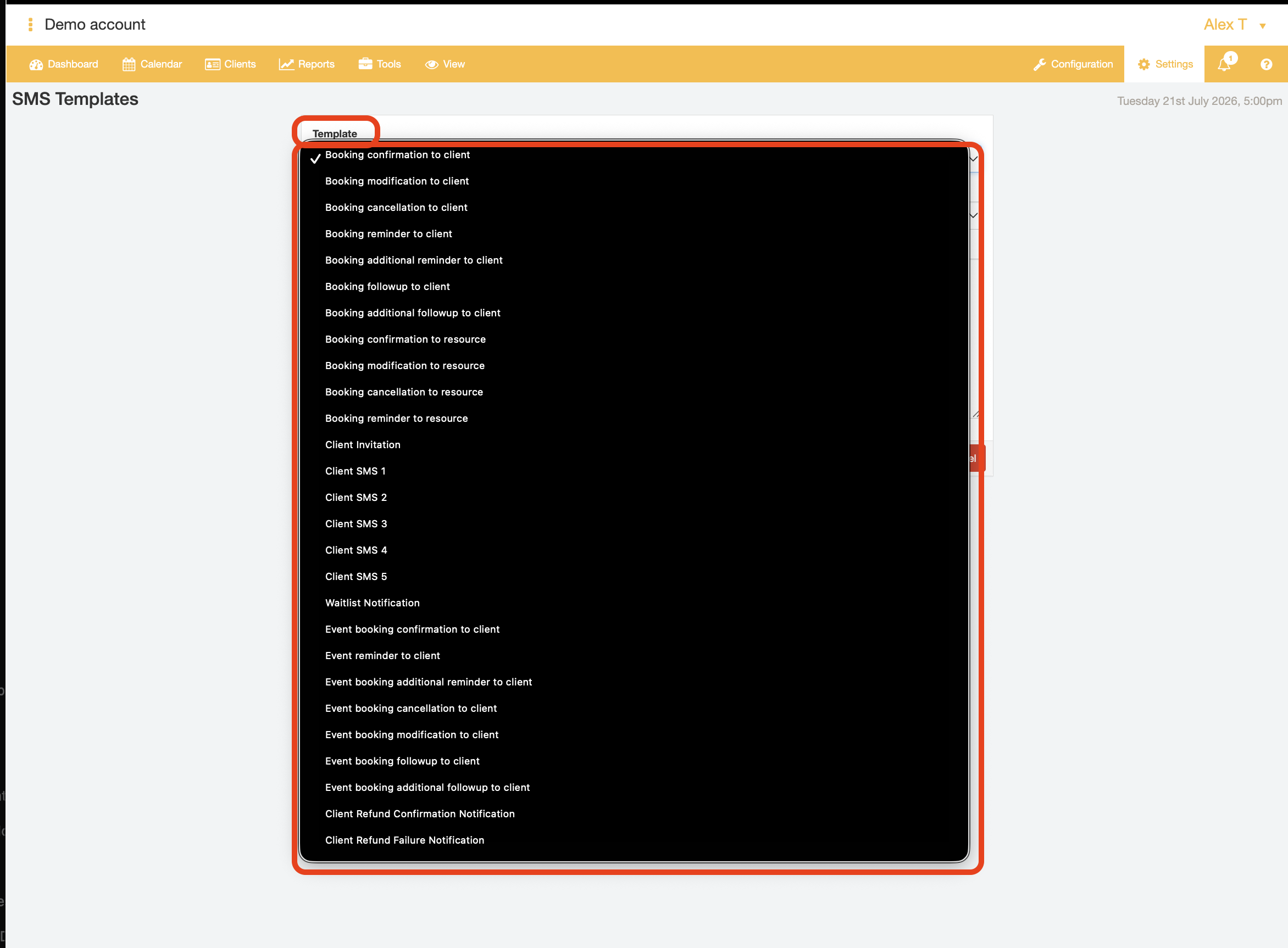
- Update the message by changing the wording and inserting merge tags in the "Body (Plain Text)" field.
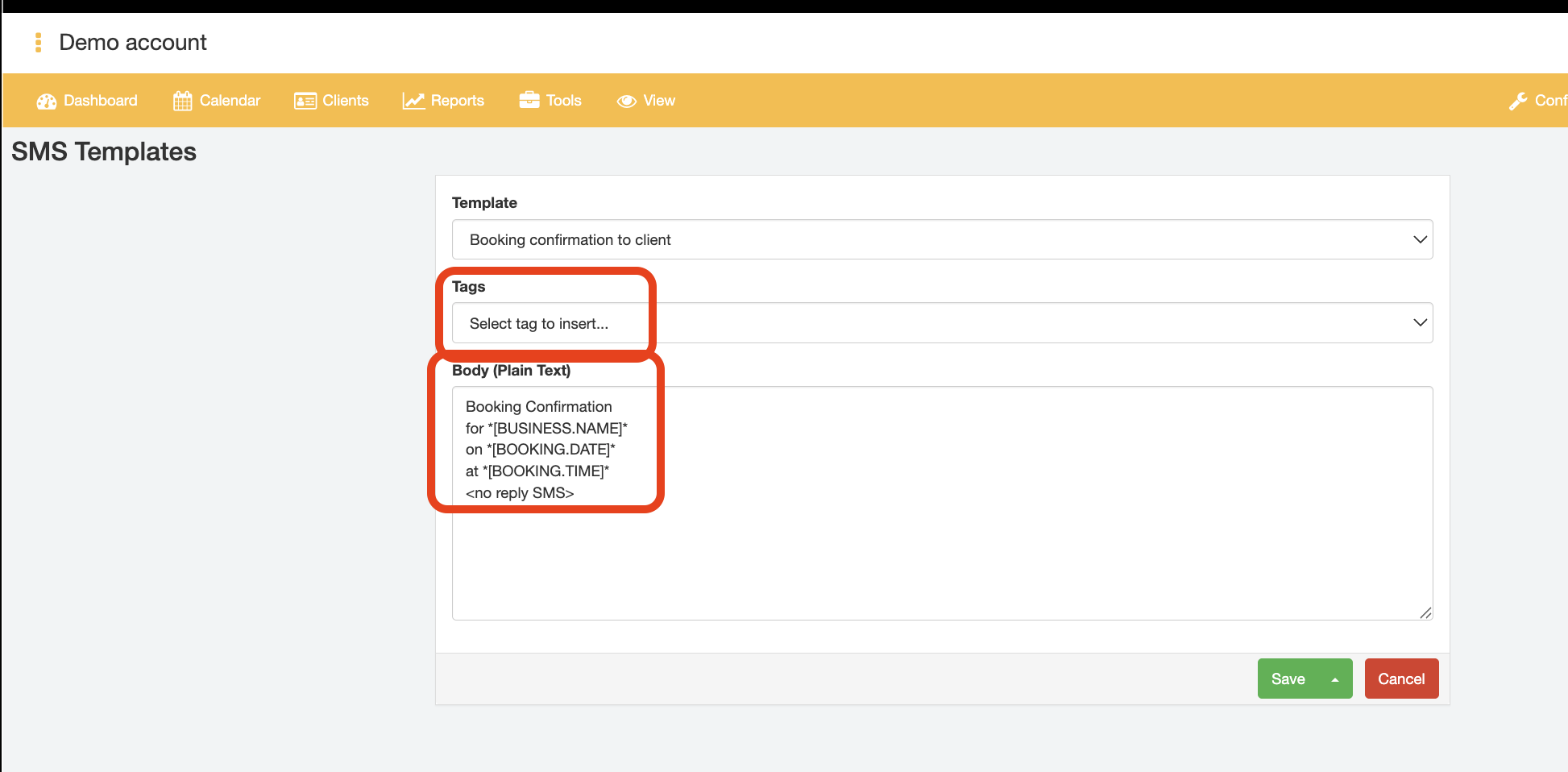
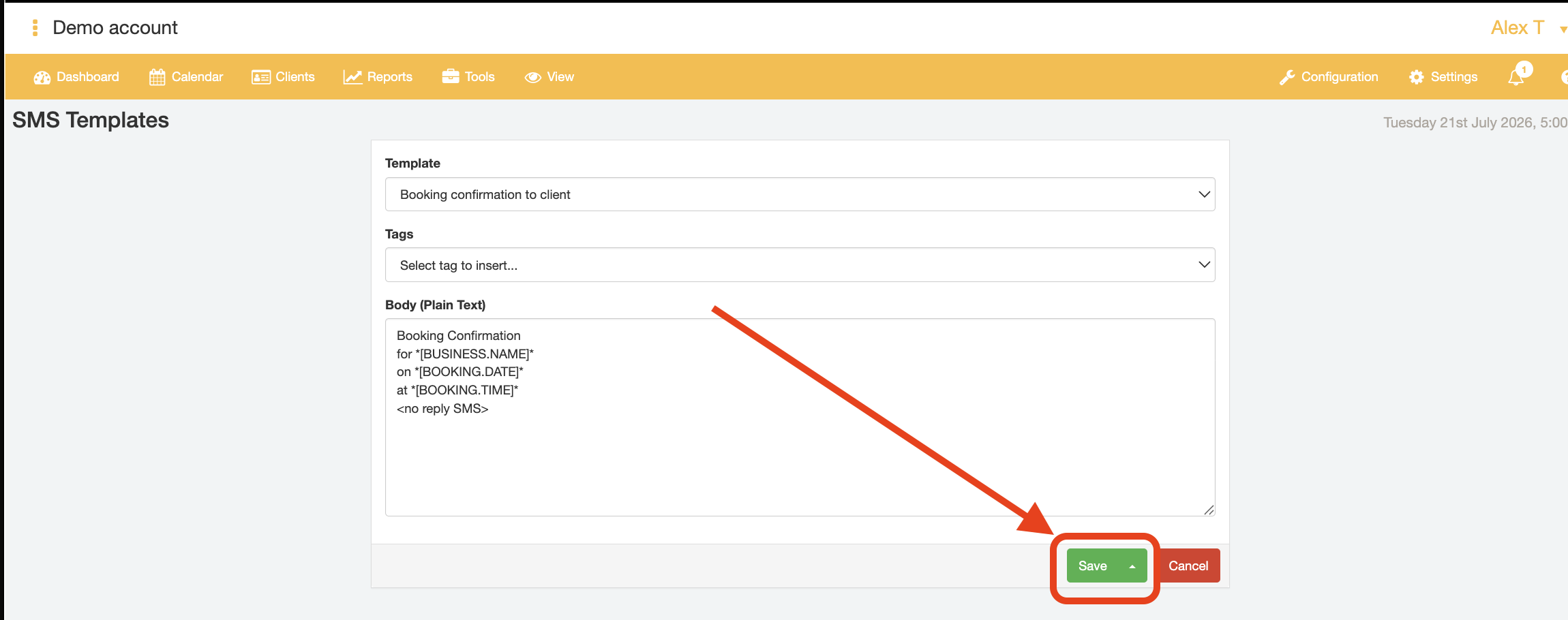
NOTE: There are a wide range of tags that you can use in your customisation. See all the merge tags here. For more information on how to utilise merge tags in your SMS Template, please view this help article. - Select Save to confirm your changes.
- End.
Was this article helpful?
That’s Great!
Thank you for your feedback
Sorry! We couldn't be helpful
Thank you for your feedback
Feedback sent
We appreciate your effort and will try to fix the article