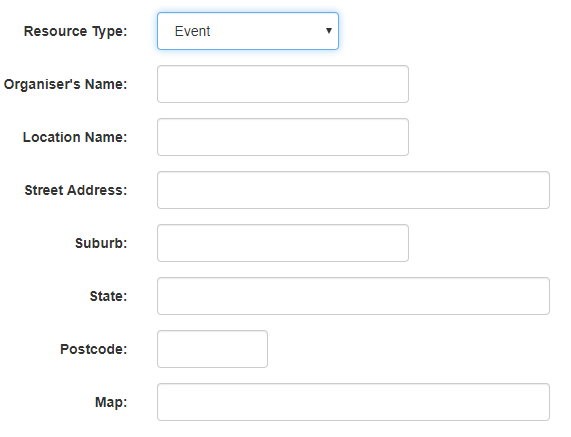
If your business runs events or requires to take booking for set locations you can populate the correct location details in the calendar file (ICS) by setting the Resource type and entering location details. These details while be used in the calendar file and notification template merge tags.
Setting location details to be used in the calendar file (ICS)
- Using the Configuration tab select Resources page
- Edit the resource that needs a locations set
- Change Resource Type and select event or location to allow entry of address details to be used in the calendar file and merge tags in email and SMS notifications
Was this article helpful?
That’s Great!
Thank you for your feedback
Sorry! We couldn't be helpful
Thank you for your feedback
Feedback sent
We appreciate your effort and will try to fix the article