Adding booking button to your website
Adding a booking button that links your bookitlive business Mini Website page or Public Booking page to your website involves creating a button using standard html code.
The following button code example can be adjusted to meet your requirements for your business' website:
<a href="https://www.bookitlive.net/book/EXAMPLEURL?id=7ae6cb80b62e88cf308f2890ed58f23e&wi=2&view=button_dispatcher"><img src="https://www.bookitlive.net/images/BL_BookAppointmentButton_GrayLC.gif" border="0" alt="I offer online booking using bookitlive"></a>
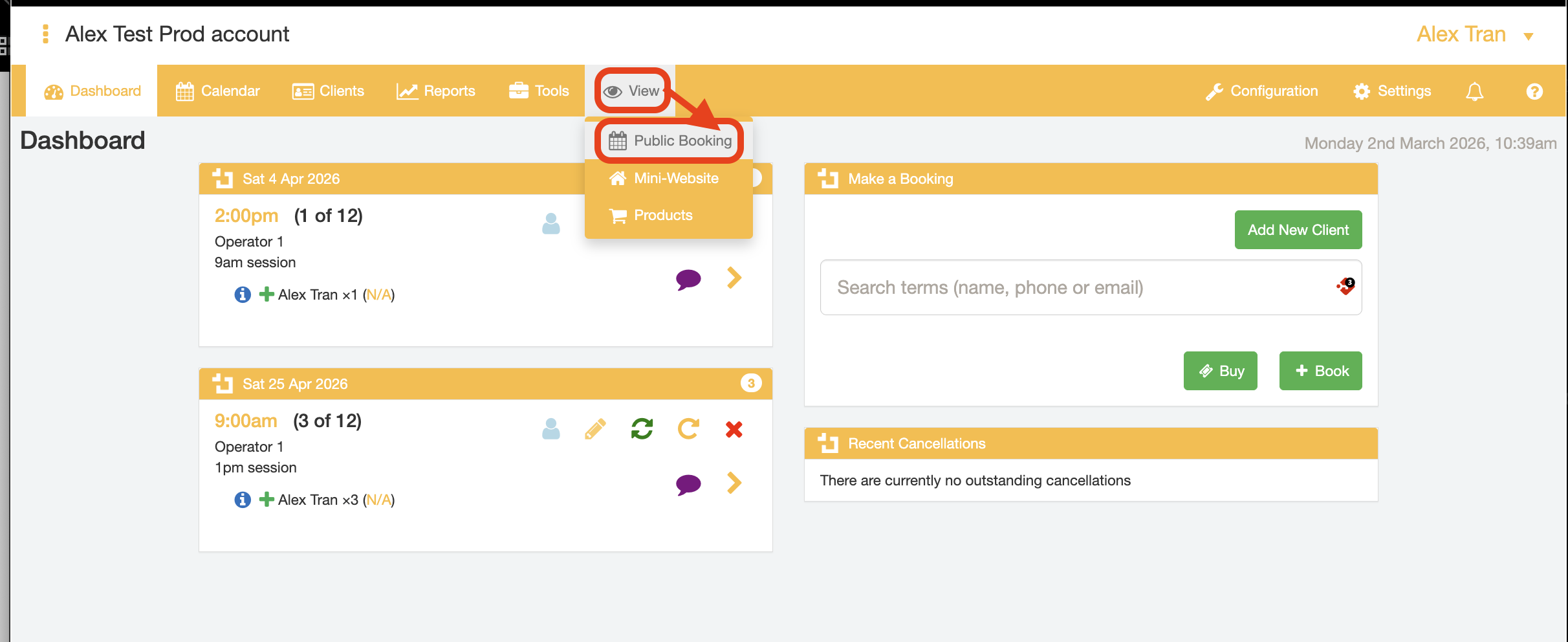
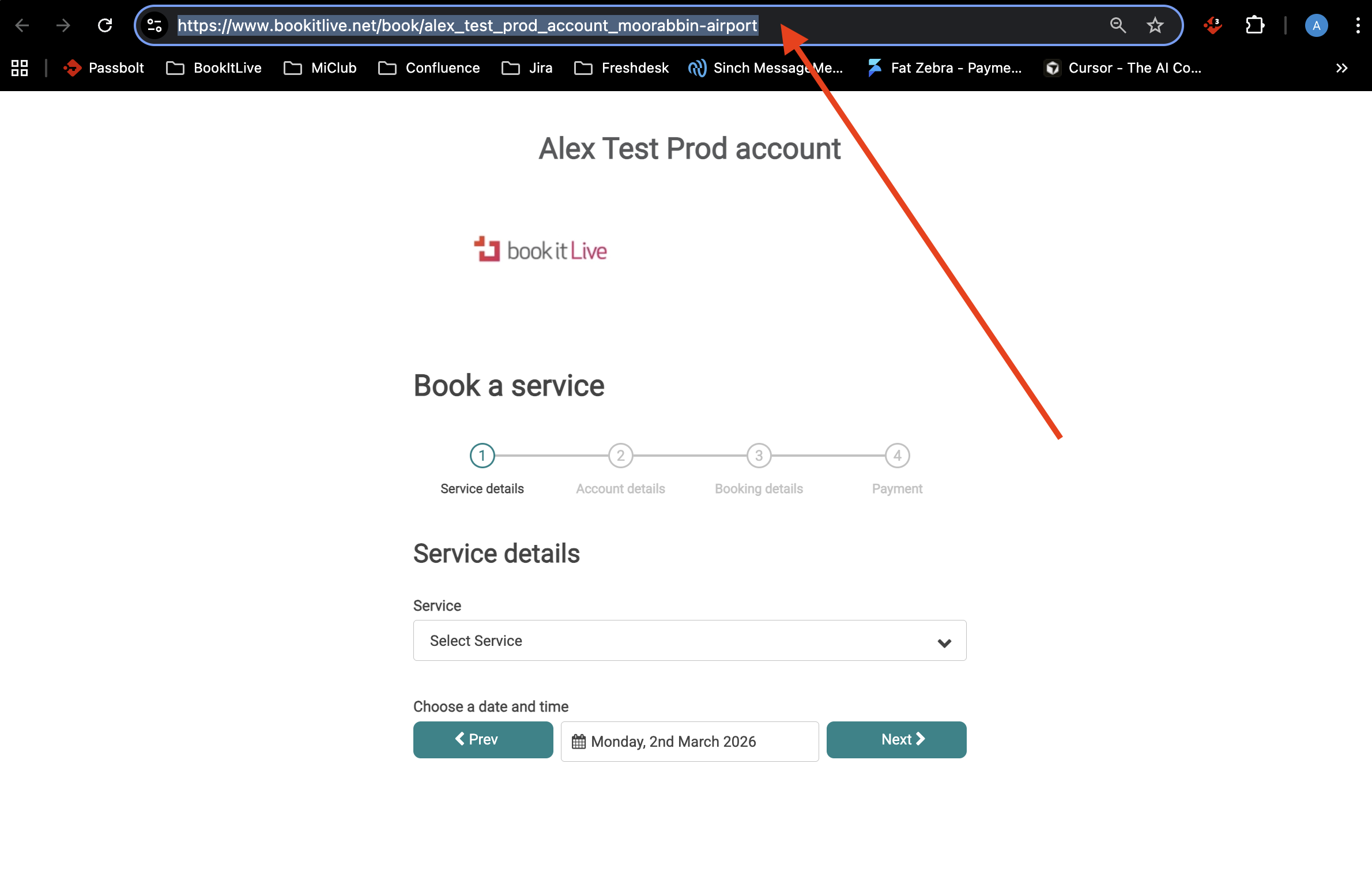
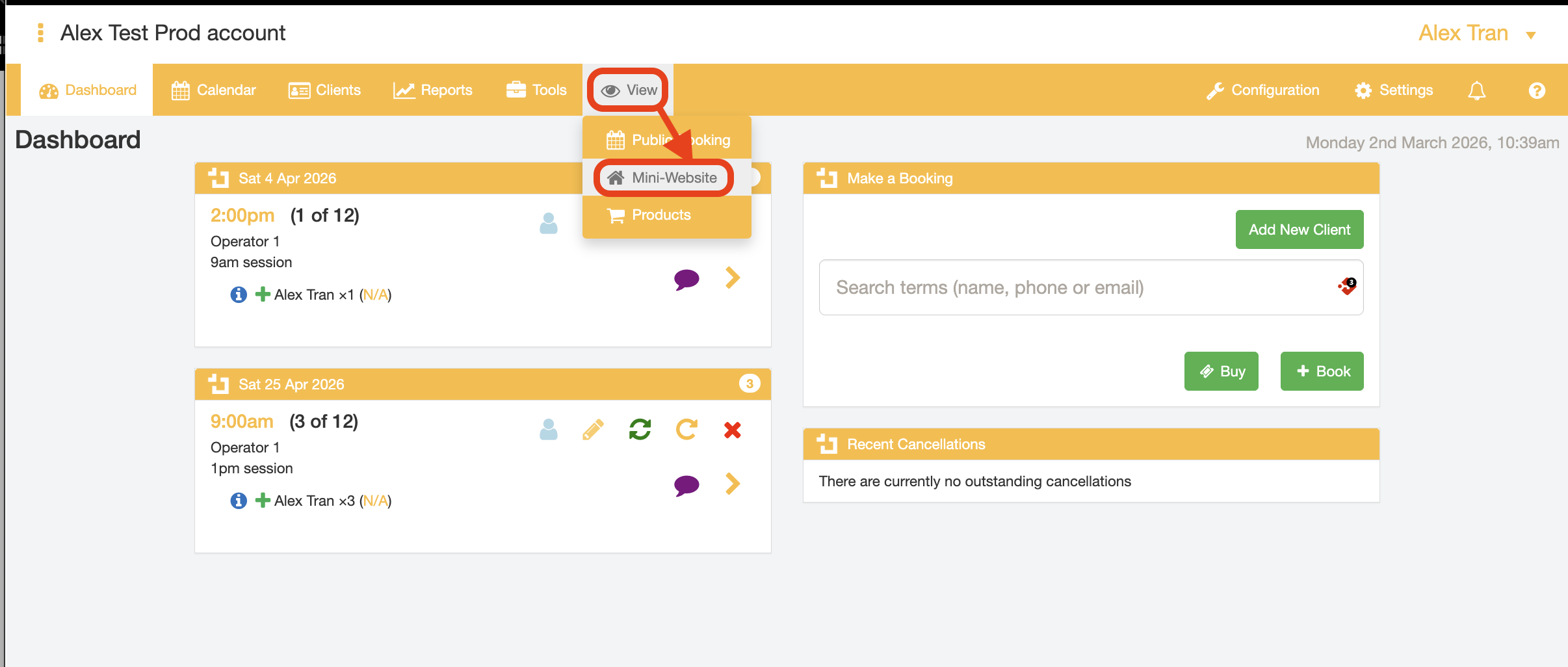
Note: Your EXAMPLEURL will be your public URL's. Use the View tab in your dashboard to find the URL for each of your public pages.
Public Booking
Mini Website

Was this article helpful?
That’s Great!
Thank you for your feedback
Sorry! We couldn't be helpful
Thank you for your feedback
Feedback sent
We appreciate your effort and will try to fix the article