Group bookings can be modified from the booking list on the Dashboard or from the Calendar.
The booking date and time can be changed to another date and/or time that is available.
The service can be change to another service as long as there is availability for the new service duration.
The resource can be change to another resource that has availability at that time. Once a new selection has been made you get the option to select the clients that need to be moved.
Modifying a booking from the dashboard
- Find the booking you want to modified on the future booking list on the dashboard
- Select the modify booking icon next to the booking
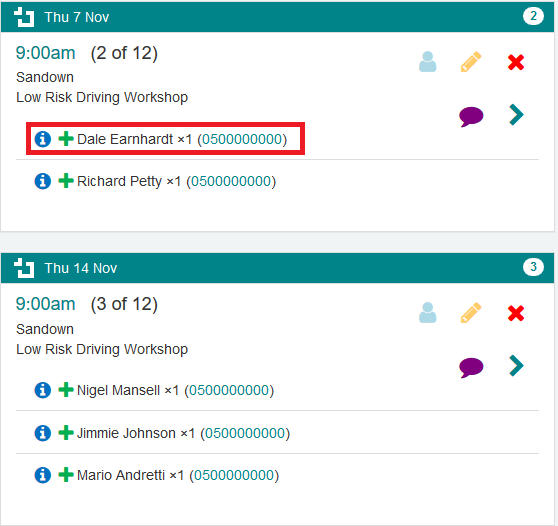
- The booking details will appear in the modify booking popup.
Select the new booking details. You can change the date and time to another available time or change the service or resource.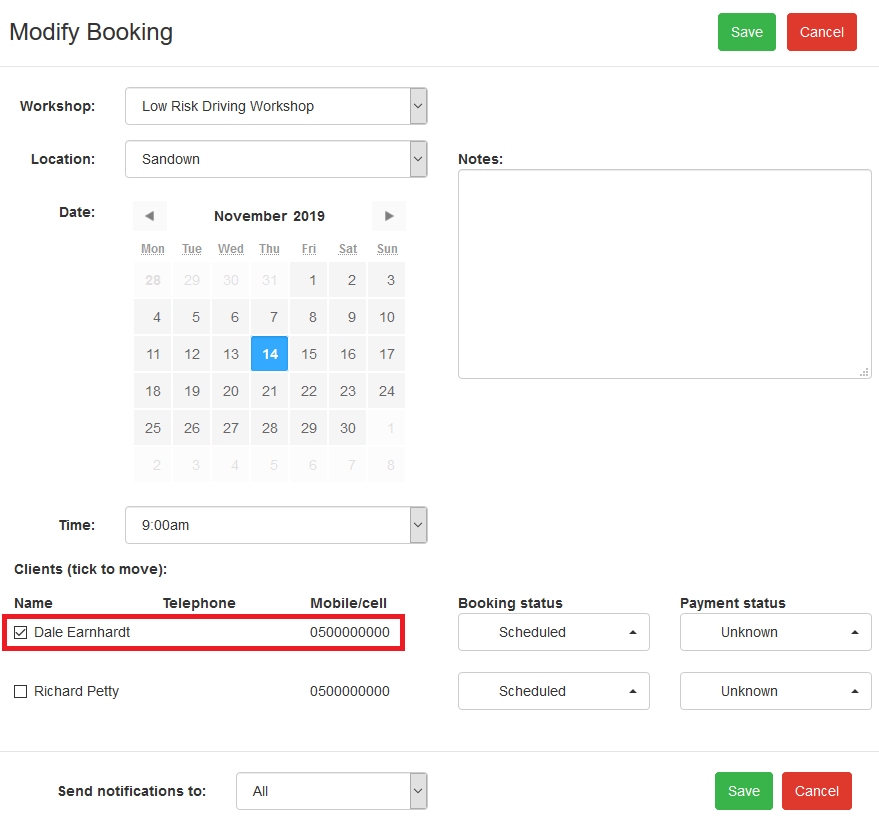
- Select the client that need to be modified
- Select who to notify regarding this modification or leave the default setting to notify All
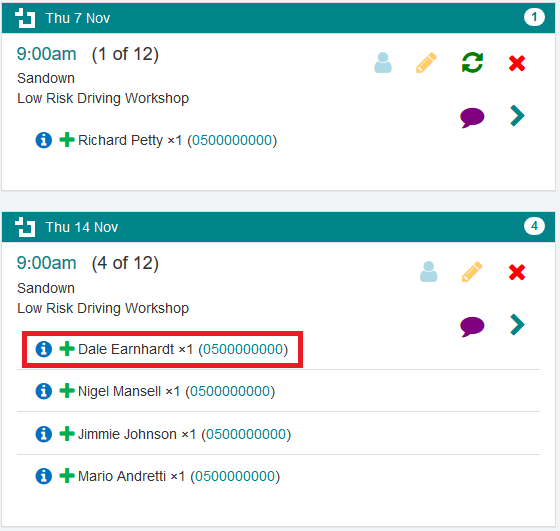
- Select Save
Was this article helpful?
That’s Great!
Thank you for your feedback
Sorry! We couldn't be helpful
Thank you for your feedback
Feedback sent
We appreciate your effort and will try to fix the article