An administration tool is available for admins and resellers to move clients between accounts. The functionality is provided using an account tool on the source account by selecting a destination account.
The tool copies all clients from the original account to the destination account. All clients that are copied have the original account favorites removed from their dashboard and replaced with the destination account favorite.
Note: Client will still be associated to the source account and will appear on the source account's Client page.
Moving client between accounts
- Logon to bookitLive using an administrator or reseller user
- Select the Accounts tab.
- Search for the account to move by typing the name and using lookup
- Select the destination account from the Move clients pulldown list
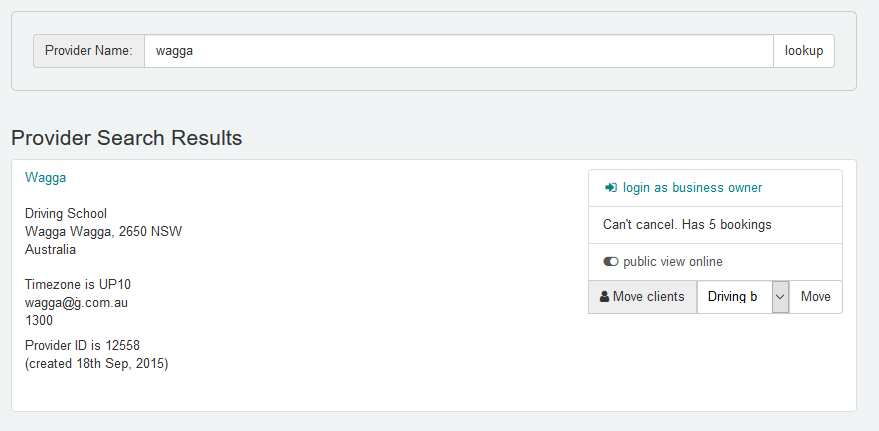
- Select Move
All Clients in the list of the source account will be copied to the destination account. All Clients will have their favourites updated by replacing the source account with the destination account details.
Was this article helpful?
That’s Great!
Thank you for your feedback
Sorry! We couldn't be helpful
Thank you for your feedback
Feedback sent
We appreciate your effort and will try to fix the article