You have manually created vouchers or have sold voucher products and you want to change the configuration to cater for:
- Changing the voucher code usage
- Changing the voucher expiry date
- Adding or changing the services the voucher code can be used for
Using the "Vouchers Code" page you can make adjustments to the usage, expiry date and what the code is valid for.
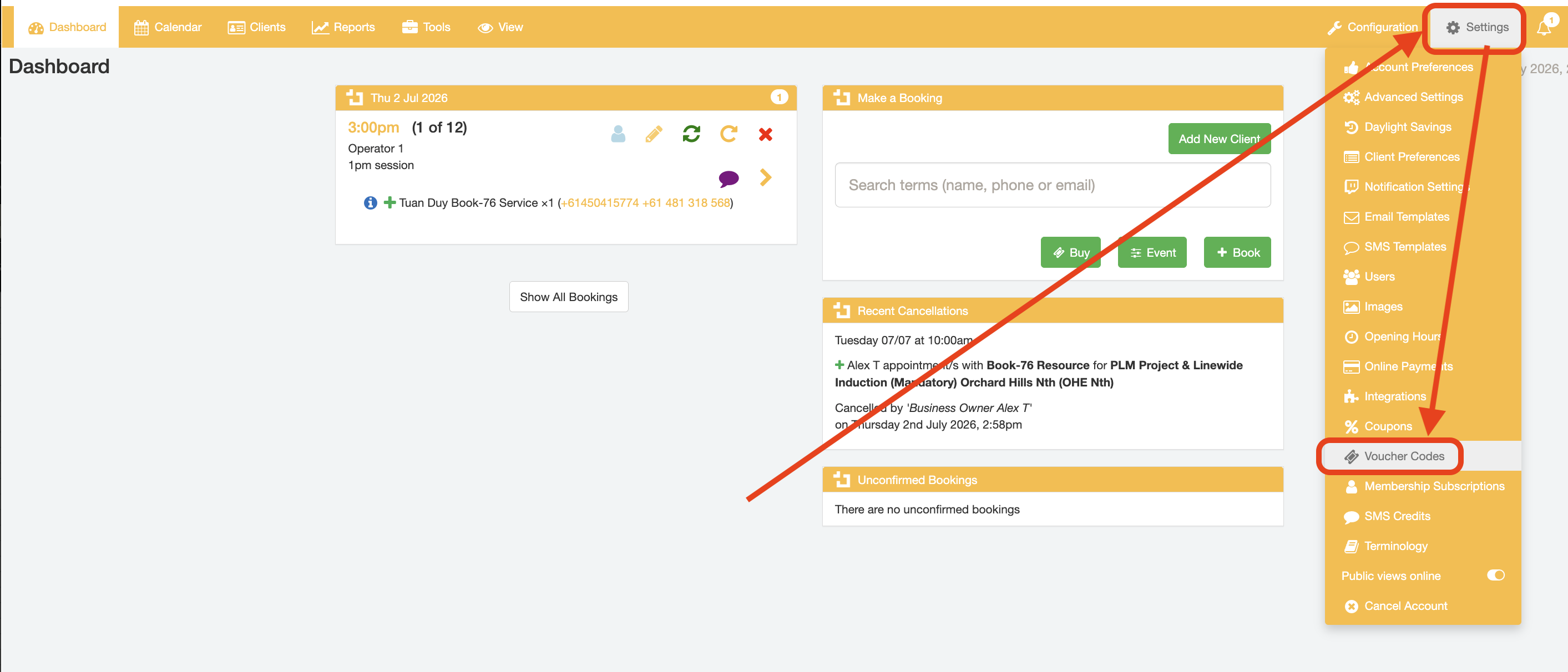
Changing voucher usage
From the "Voucher Codes" page, click the "Usage" link.
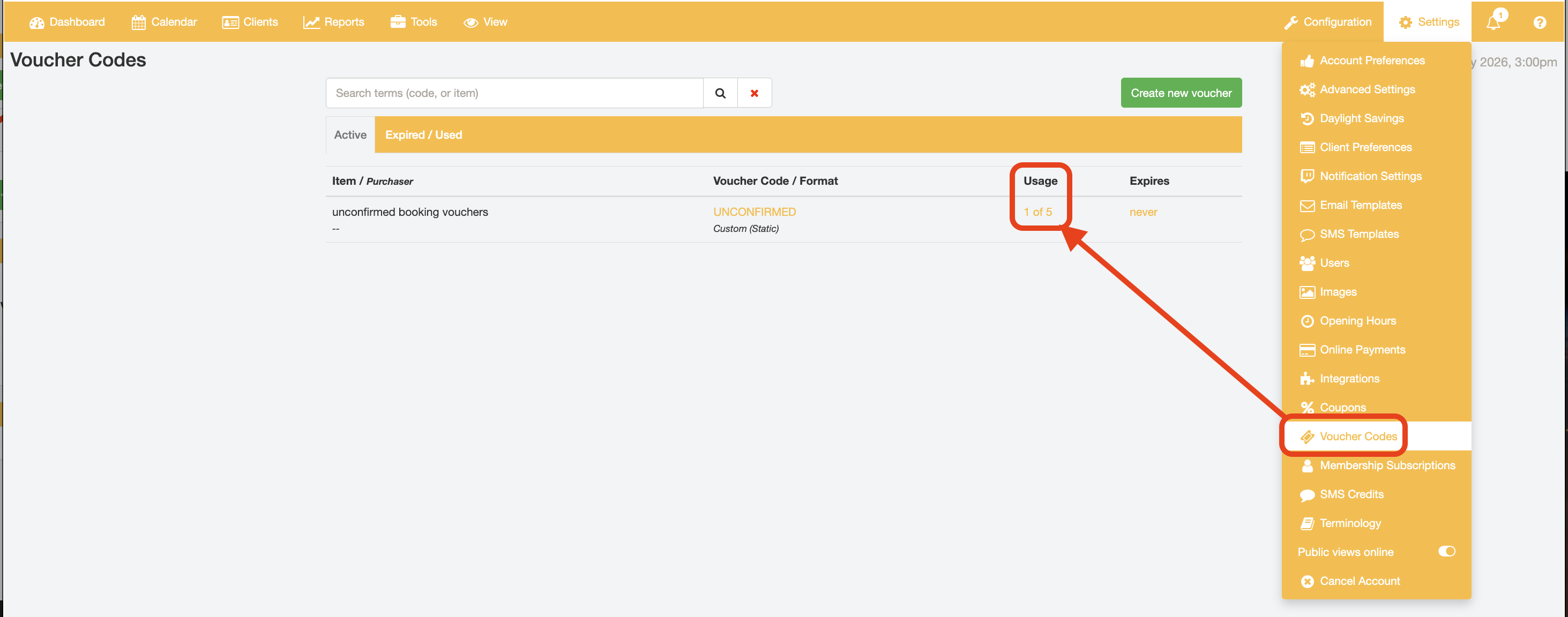
Entering positive values into the "Usage" will increase the voucher usage count, meaning that less usage for that voucher will remain. Conversely, entering a negative value into the "UNCONFIRMED Usage" field will decrease the voucher usage count, meaning that there will be more remaining usage of that voucher.
For example, an input of "10" consumes an additional 10 usages of the voucher, while an input of "-10" will reduce the current consumption of voucher usages remove by 10 usages.

Changing voucher expiry date
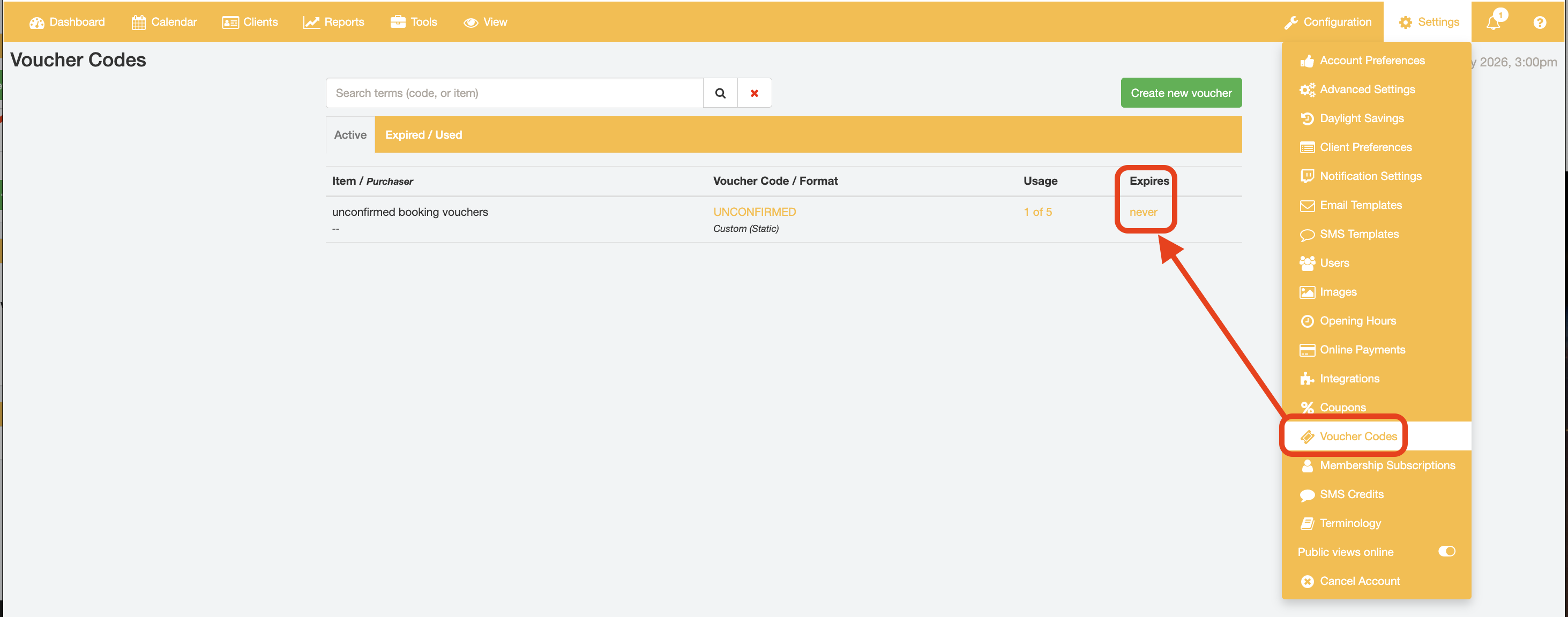
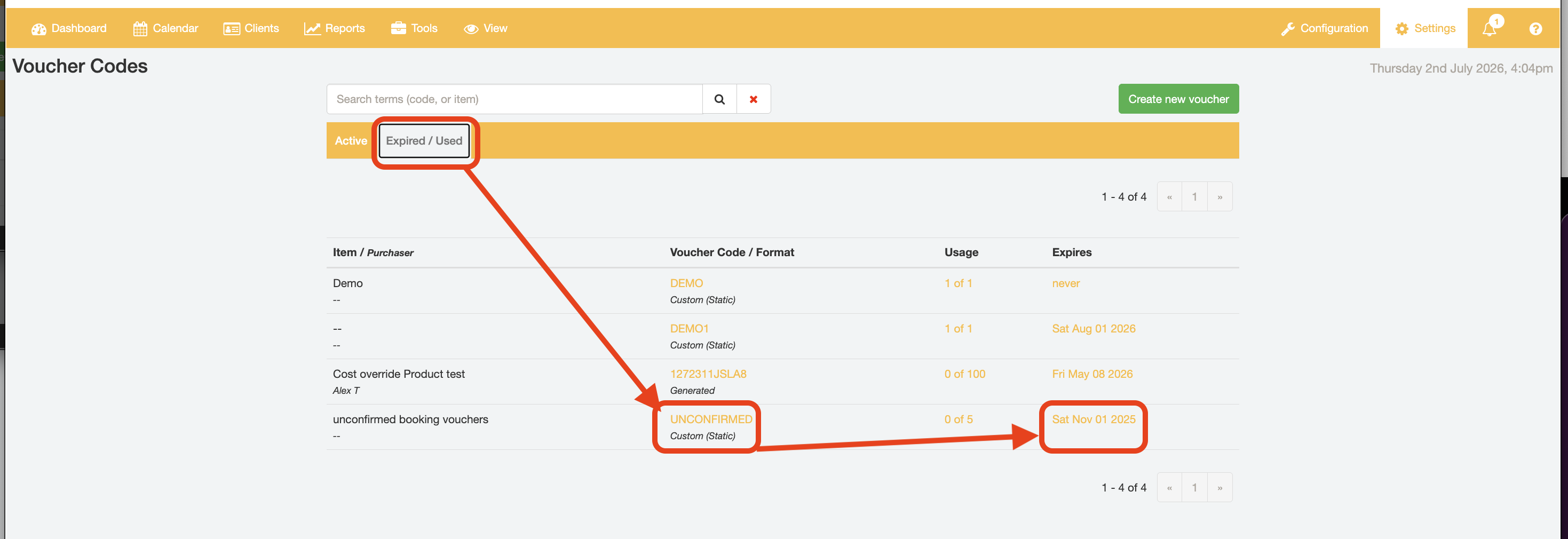
From the "Voucher Codes" page, click the Expires link to adjust the expiry date for the voucher code.
Use the date picker tool to set a new Voucher Expiry date and click the "Update Expiry" button to confirm the date of expiry.
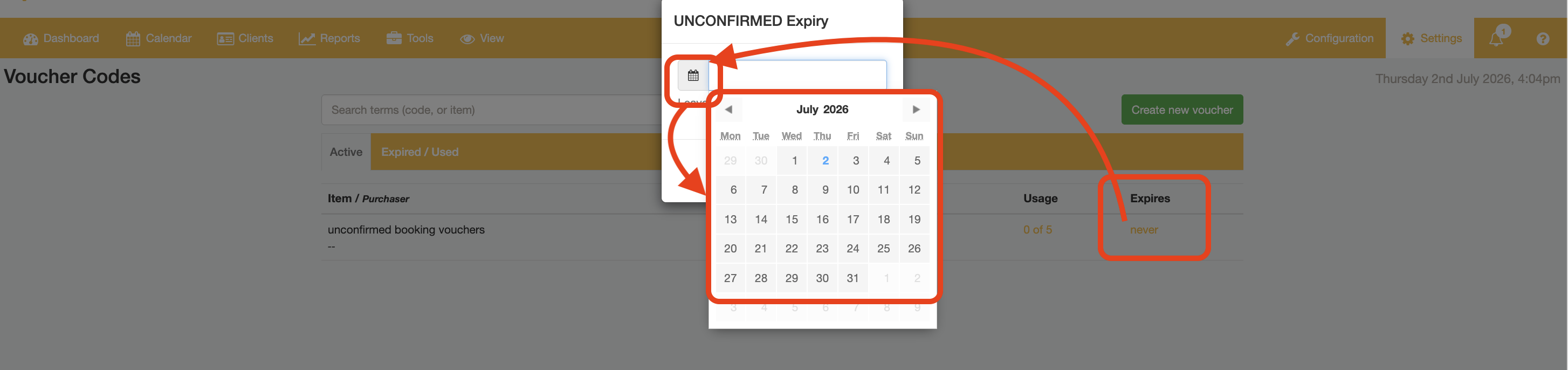
Voucher expiry can be set to have no expiry date by clearing the date input field and saving.

Setting the date to a date in the past will expire the code, resulting in the Voucher Code record being moved to the "Expired/Used" tab in the "Voucher Codes" setting page.

Changing services the Voucher Code can be used for
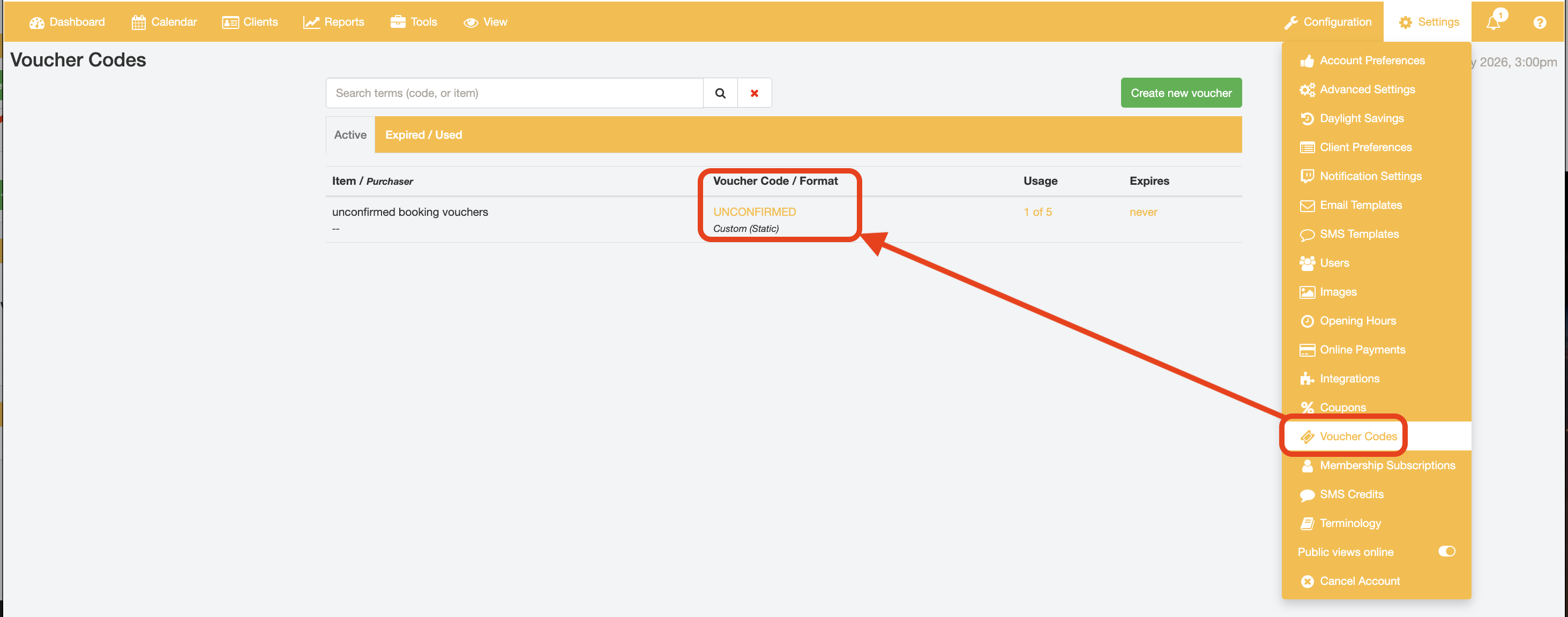
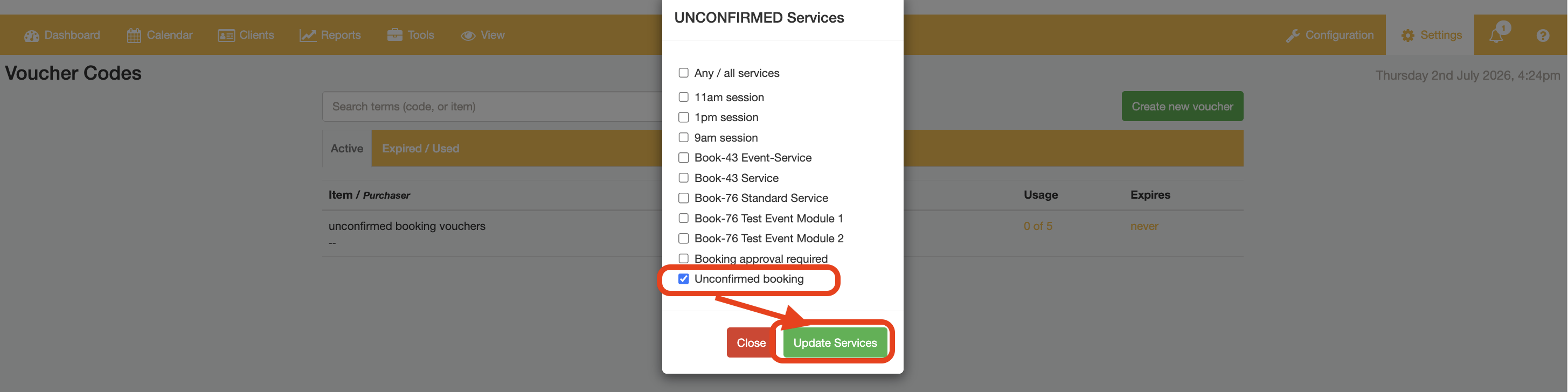
If you created a voucher code and did not assign the correct services you can adjust the services for this code. From the Voucher code page, click the voucher code / format. Select and deselect the services listed the code is valid for to allow and disallow the code to be used to book the services, respectively. Click the "Update Services" button to confirm your Service selections.
Was this article helpful?
That’s Great!
Thank you for your feedback
Sorry! We couldn't be helpful
Thank you for your feedback
Feedback sent
We appreciate your effort and will try to fix the article