
bookitlive allows you to manage your client list by updating or deleting a client from the client page.
Searching for clients
- Go to the client page by selecting the Client tab.
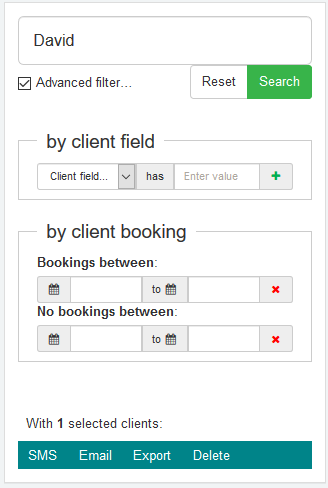
- Search and find the Client(s) whose details you want to update. Multiple search options are available for finding clients including:
- Name
- Email address
- Phone number
- Other some advanced searches
Updating a client(s) details
- Open the Client Record for the Client you want to edit by selecting the client name.
- Update any of the client fields that you want to change
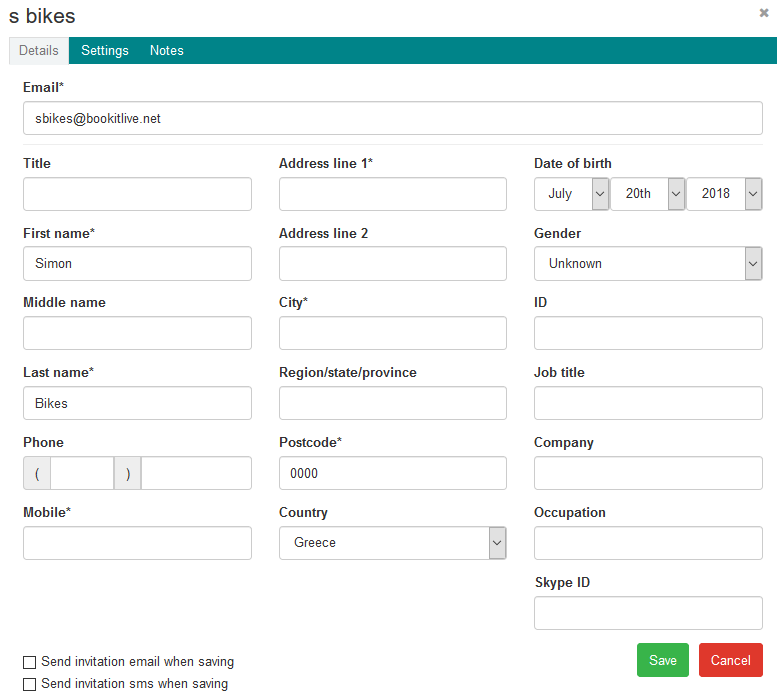
- Save.
Removing one or more clients
- Before removing a client(s), it is recommend that you export all your client first as you can restore the client if you make a mistake and accidentally delete a client(s).
- Use the Export tab to export selected client(s) to a CSV file.
- Select the Delete tab to delete the selected clients.
- Check that the number of clients being deleted is correct. You cannot restore deleted clients.
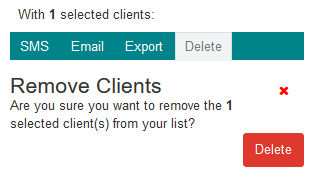
- Select Delete.
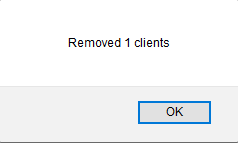
- A warning is displayed to allow you to abort the deletion. Select OK to delete or go back in your browser to cancel.
Was this article helpful?
That’s Great!
Thank you for your feedback
Sorry! We couldn't be helpful
Thank you for your feedback
Feedback sent
We appreciate your effort and will try to fix the article