If you are using the bookitlive payment gateway and need to refund a payment you will need to determine the Invoice details and send these details to bookitlive.
Find the purchase transaction details
- From your Dashboard select Tools > Reports
- Select the Purchase tab on the Reports page
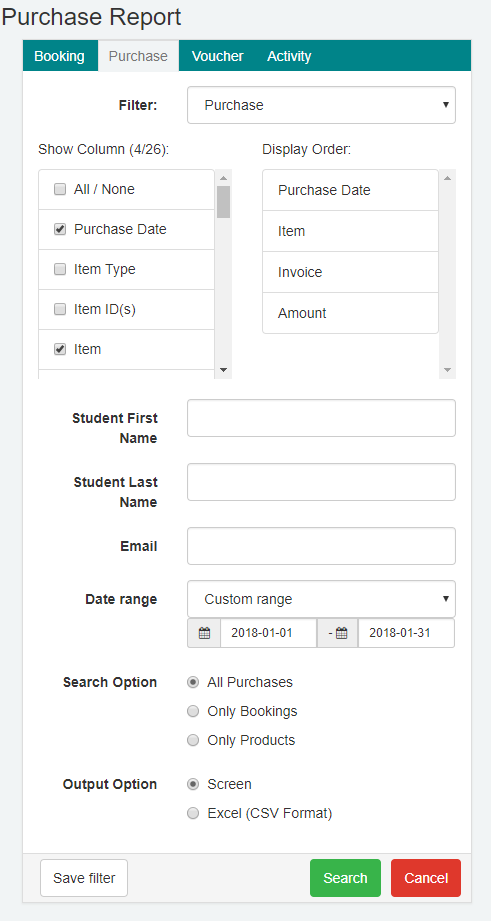
- Select a Date Range – Select all columns and define the date range when the purchase was made. (You can use the client’s name or email address to refine the search).
- Select Search

- From the search results identify the transaction that needs to be refunded.
- Once you have identified the payment, record the invoice number and the amount paid e.g. (125528-0654098-1526908375) - $70.00
Request bookitlive accounts for a refund
- Send the invoice details via email to accounts@bookitlive.net
- Request a refund
Was this article helpful?
That’s Great!
Thank you for your feedback
Sorry! We couldn't be helpful
Thank you for your feedback
Feedback sent
We appreciate your effort and will try to fix the article