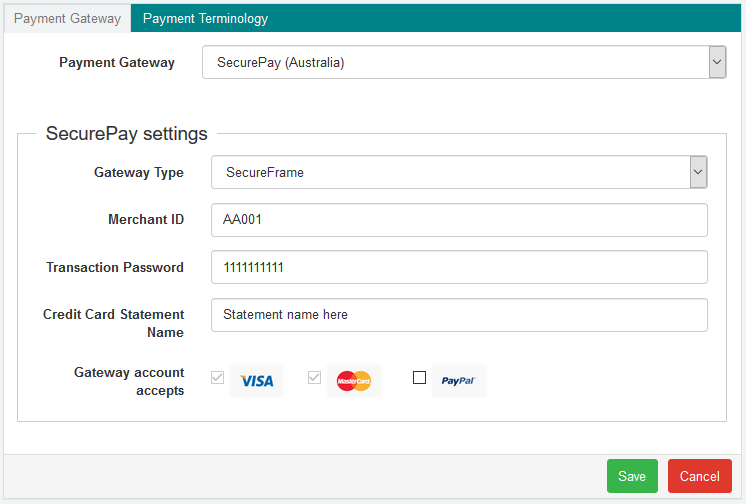
You can accept online payments in bookitlive with SecurePay Frame.
If you don't yet have a SecurePay Merchant account, you can sign up for one.
To set up payments using SecurePay Frame, follow these steps:
- Log in to bookitlive
- Select Settings
- Select Online Payments
On the Online Payments page:
- Select SecurePay for the payment gateway
- Select the Gateway Type of SecurePay Frame
- Enter the Merchant ID that was supplied by SecurePay
- Enter the details that will appear on the card statement in the credit card statement name field
- Click Save