
You can accept online payments in bookitlive with Onestop Secure. If you don't yet have a Onestop Secure account, you can sign up for one here.
To set up payments using Onestop Secure , follow these steps:
- Log in to bookitlive
- Select Settings
- Select Online Payments
On the Payment Options page:
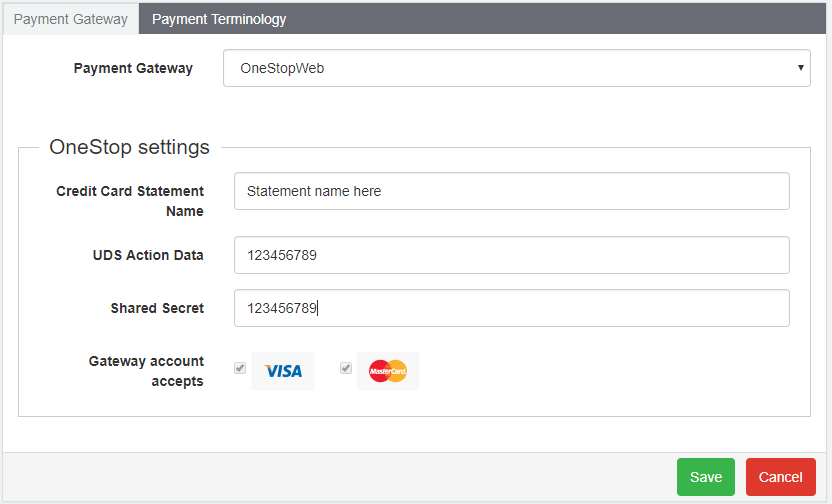
- Select Onestopweb for the payment gateway
- Enter the UDS Action Data
- Enter the Shared Secret
- Enter the details that will appear on the card statement in the credit card statement name field
- Click Save
bookitlive allows you to select and set the service that you want to take online payments. This means you can have some of your services set to take payments and others that do not require payment.
Configuring a service to take payment
- Log in to bookitlive
- Select Configuration > Services & Resources
- Open the service that requires payment
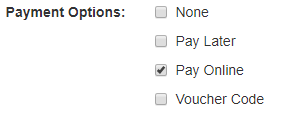
- Set the Service Payment Options to Pay Online
- Save
Was this article helpful?
That’s Great!
Thank you for your feedback
Sorry! We couldn't be helpful
Thank you for your feedback
Feedback sent
We appreciate your effort and will try to fix the article