Adding a booking from the dashboard for an existing client
- Login to bookitlive
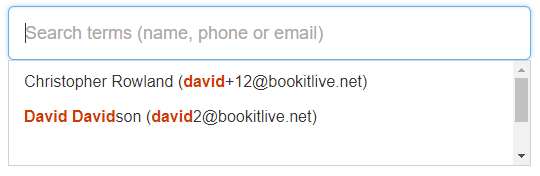
- From the Dashboard, search for the Client of interest by entering their name, phone number, or email. Entering partial details will display a list of results for selection
- Once a client has been selected use the Book button to add a new booking.
- The booking pages opens, select a Service and Resource you want to book.
- A list of times will be displayed, select the date and time you want to book.
- The booking information detail will be displayed select next to complete the booking or go back to make amendments.
- Once the booking is complete close the booking page.
The booking details appears on the Dashboard in the list of all future bookings.
Was this article helpful?
That’s Great!
Thank you for your feedback
Sorry! We couldn't be helpful
Thank you for your feedback
Feedback sent
We appreciate your effort and will try to fix the article