A Client/Customer can Cancel their own booking by logging on to their Dashboard.
- Login to your Dashboard via a link supplied in an email notification or go to the bookitlive home page.
- Use your email address and password used when you made the original booking.
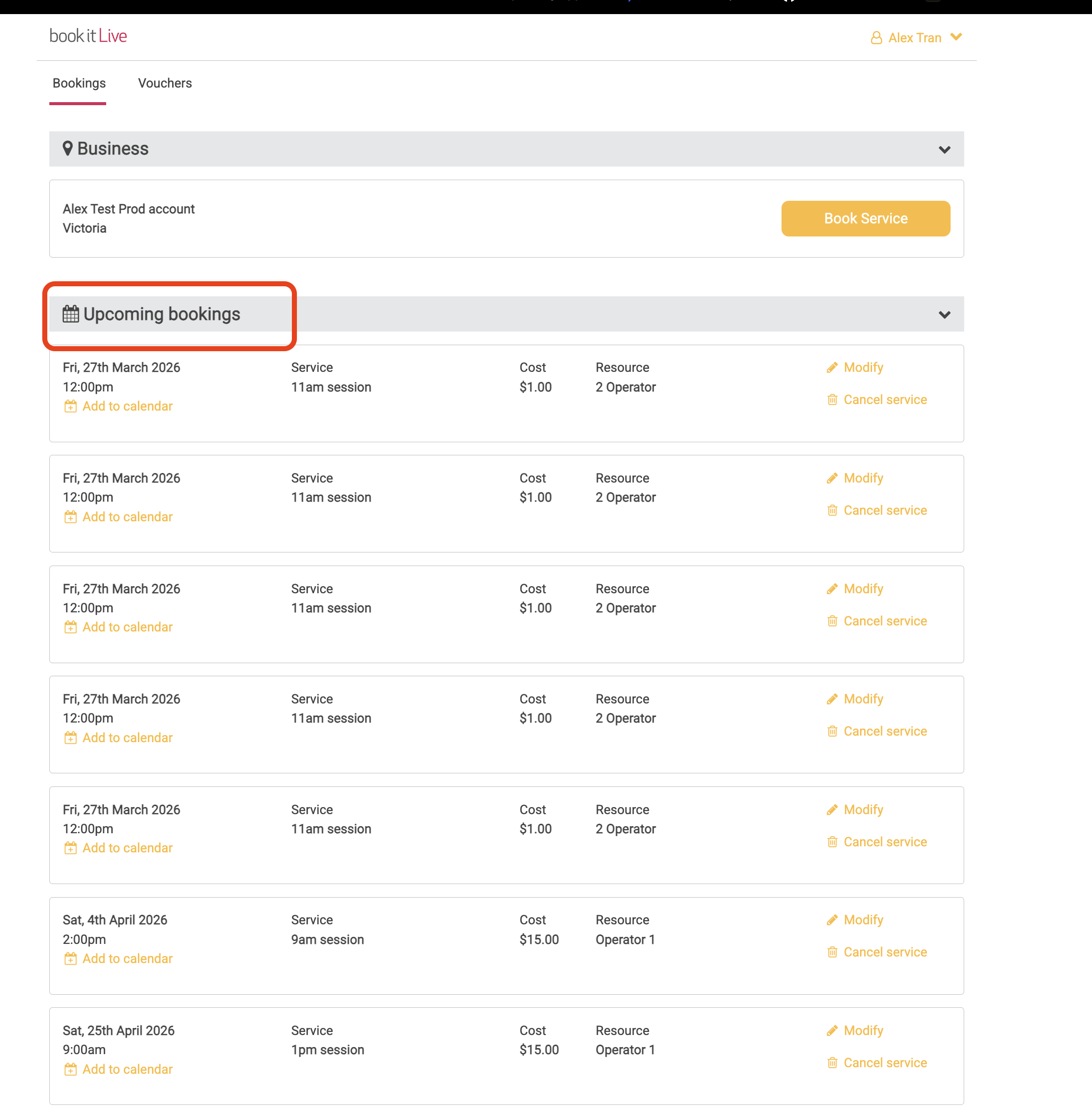
- Your future bookings will be listed under the "Upcoming Bookings" menu.
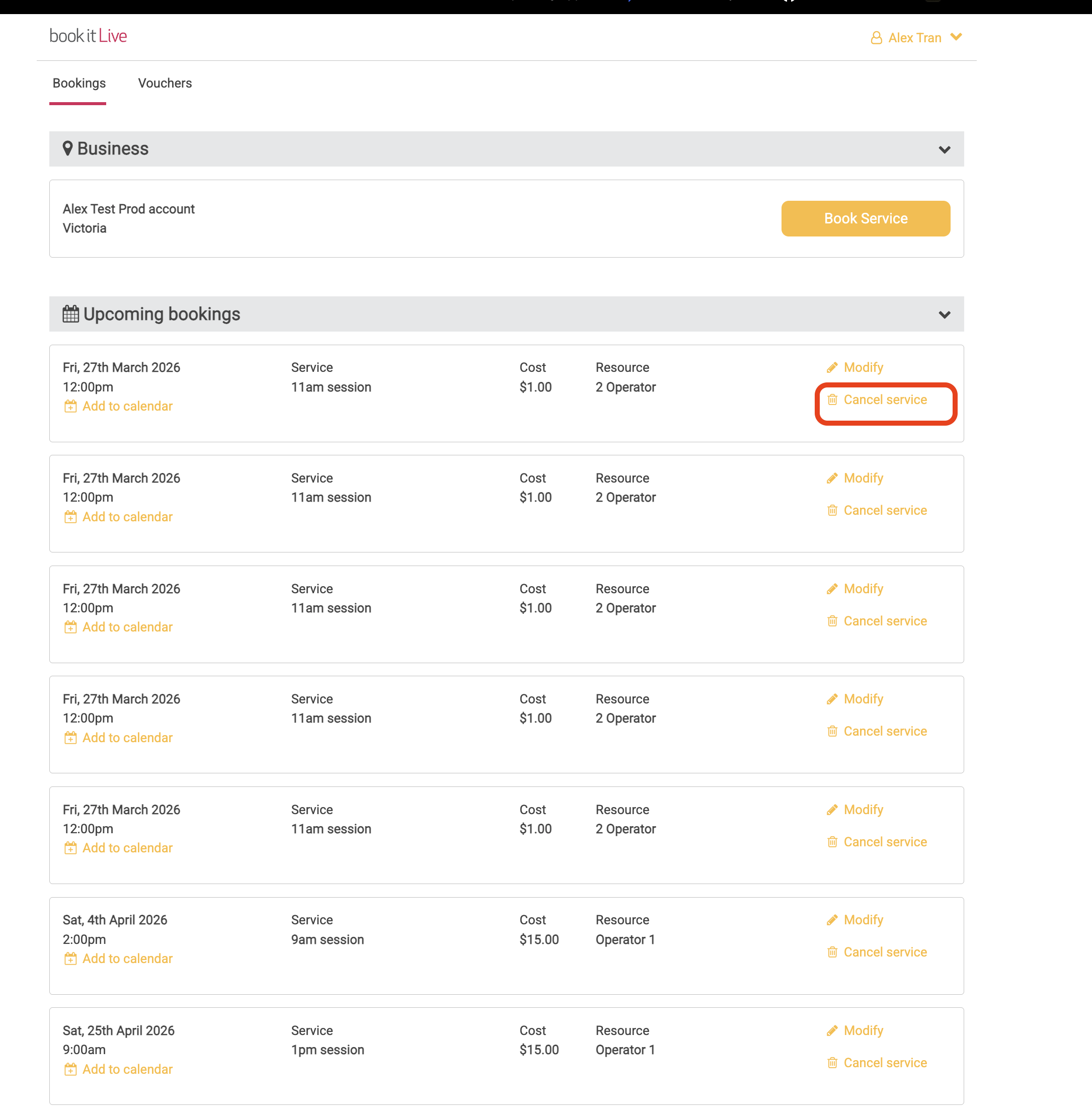
- Select the "Cancel Booking" link next to the booking of interest to remove the booking.
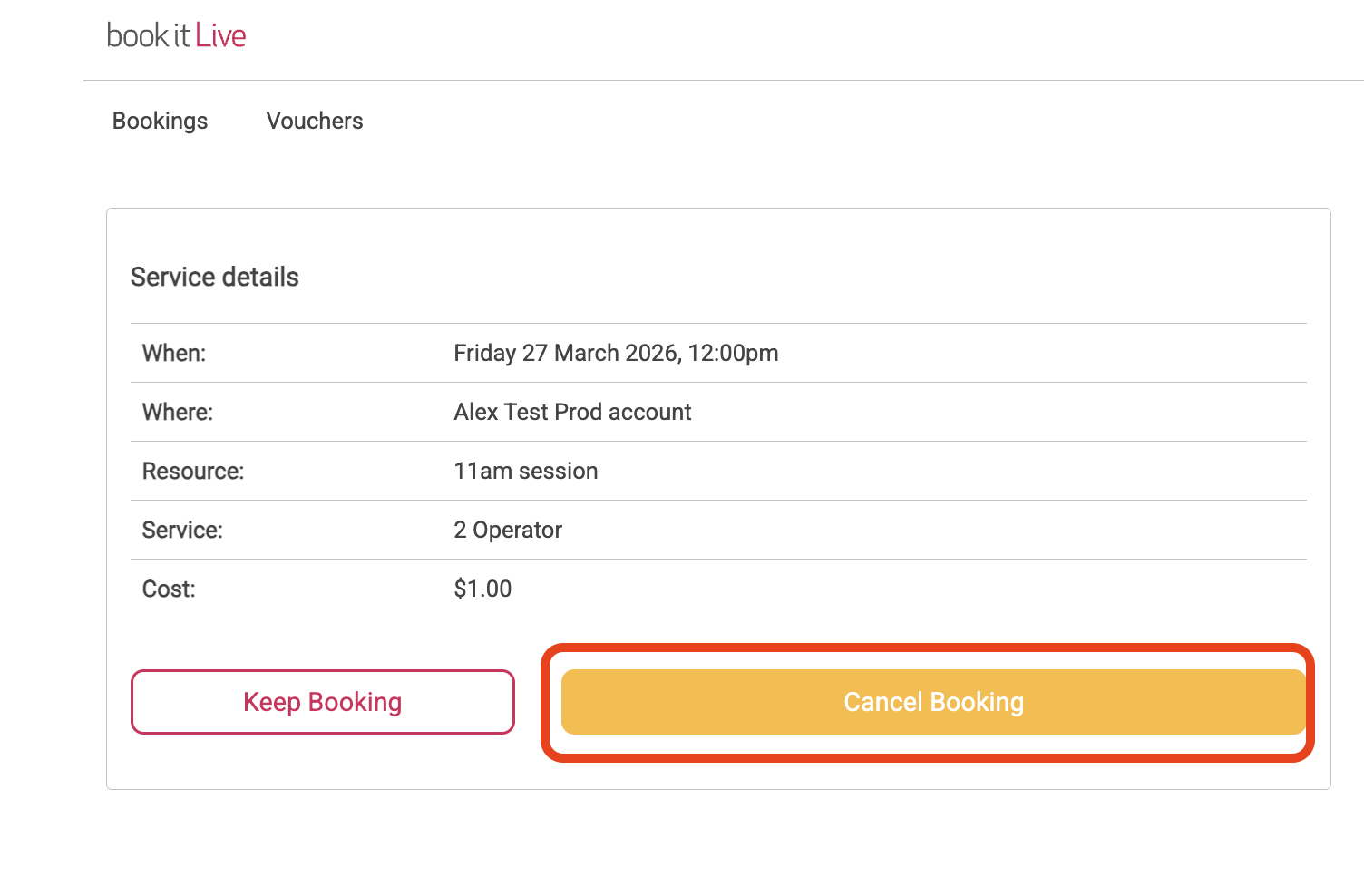
- Select Cancel Booking to confirm cancellation.
- End.
Note: The business can set booking rules that will restrict booking from being Cancelled within a set period prior to the booking time. When these rules apply there will be no "Cancel Booking" link displayed against the booking.
Was this article helpful?
That’s Great!
Thank you for your feedback
Sorry! We couldn't be helpful
Thank you for your feedback
Feedback sent
We appreciate your effort and will try to fix the article