You can accept online payments in BookItLive with using the built-in payment processing using BookItPay. BookItPay is the quickest and easiest payment processing option to activate in your BookItLive business account, as it is included as part of the BookItLive booking software. Enabling and using BookItPay as your payment gateway to handle online bookings an purchases does not require your business to set up a payment gateway account. Simply enable the BookItPay payment gateway directly from your BookItLive business account and you're ready to start taking payments for your business online.
Accessing the Online Payments Settings in BookItLive requires the account to have proceeded beyond the introductory 14-day trial period. Any business accounts that are still currently within their introductory trial period will not be able to access the Online Payments options.
If you wish to expedite access to the Online Payments tools in BookItLive in your account's trial period, please contact the BookItLive support team to confirm that you are happy to begin monthly subscription payments for your business account.
To access to the Online Payments tool and by extension the BookItPay payment gateway option, your BookItLive business account will need to be on the Regular-, Premium-, or Enterprise-level business plan. Any business accounts on the Lite-level BookItLive business plan will not be able to process payments.
Both the business owner (administrator) user and any Manager users of the BookItLive business account are able to access the Online Payments page to enable online payments.
To set up payments using BookItPay, follow these steps:
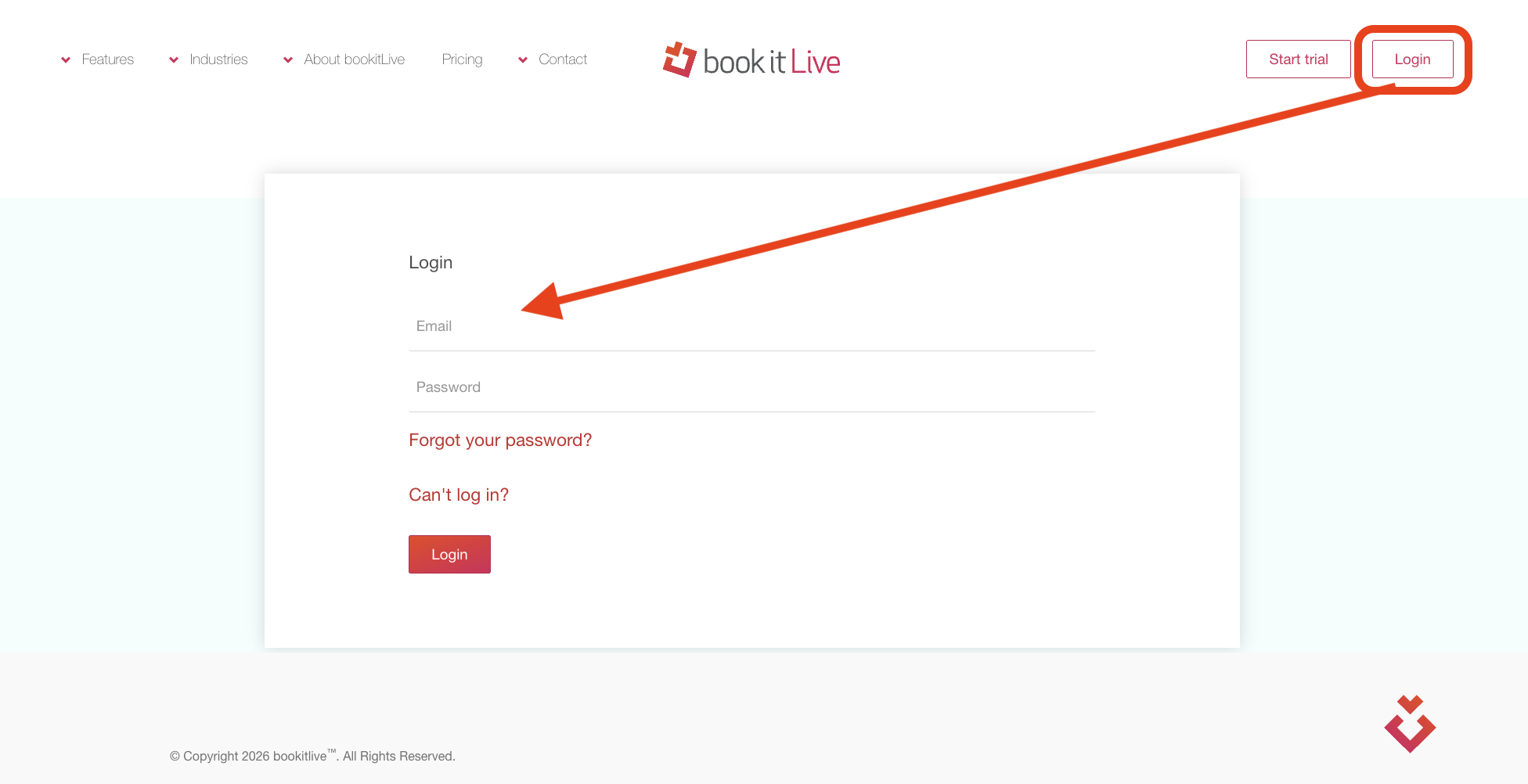
- Log in to BookItLive as the Business Owner (administrator) or Manager user.
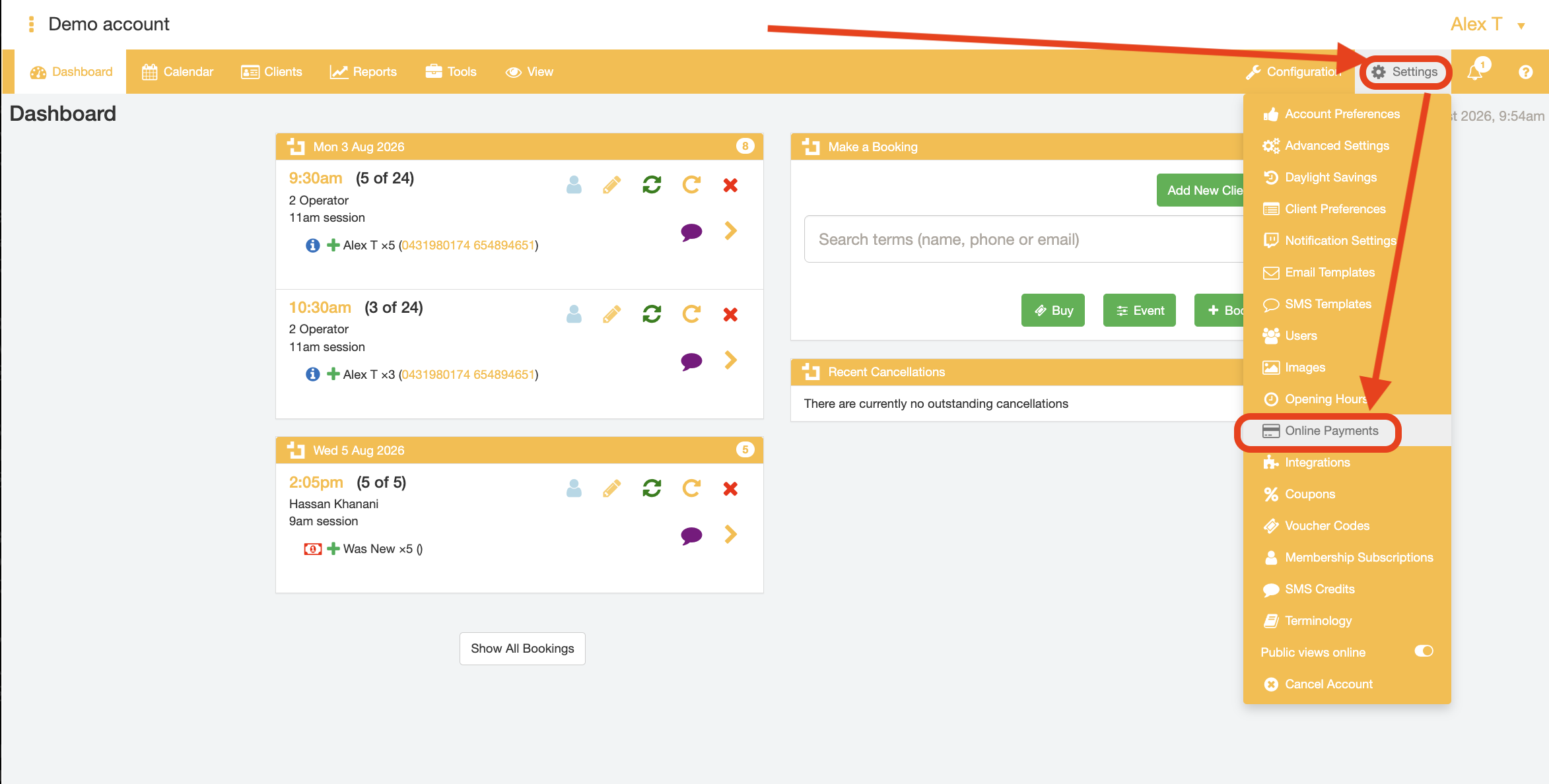
- Open the "Settings" tab and select the "Online Payments" option from the menu
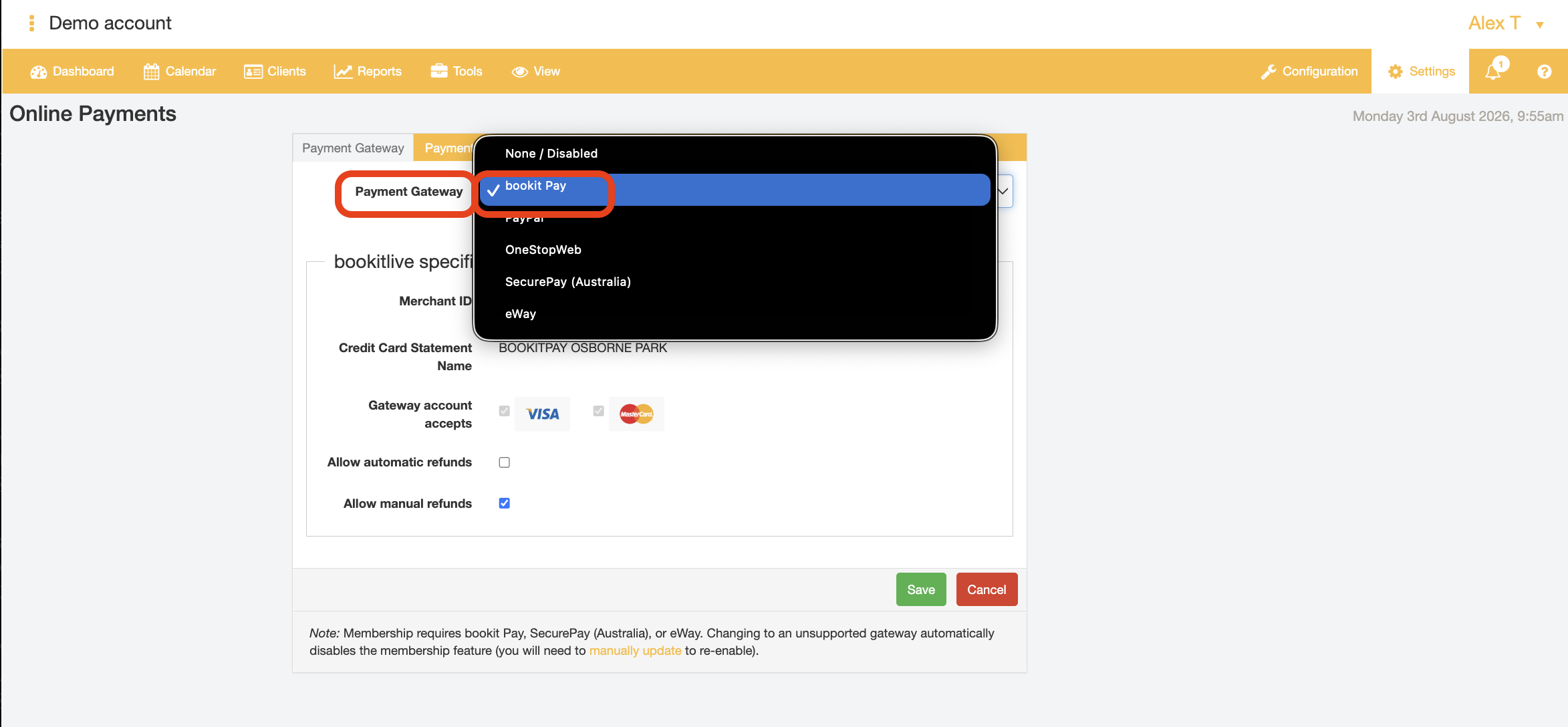
From the Payment Options page:
- Select "BookitPay" from the payment gateway dropdown field
- If desired, enable automatic refunds and/or manual refunds.
Automatic refunds will immediately process a payment refund for any cancelled bookings, in line with the booking cancellation rules that have been configured for your business account.
Manual refunds will not perform a refund transaction for a booking when the booking is cancelled. Instead, the business user must track down the booking of interest from the "Clients" tab of their BookItLive business account and manually enter the refund amount to be processed for the booking cancellation.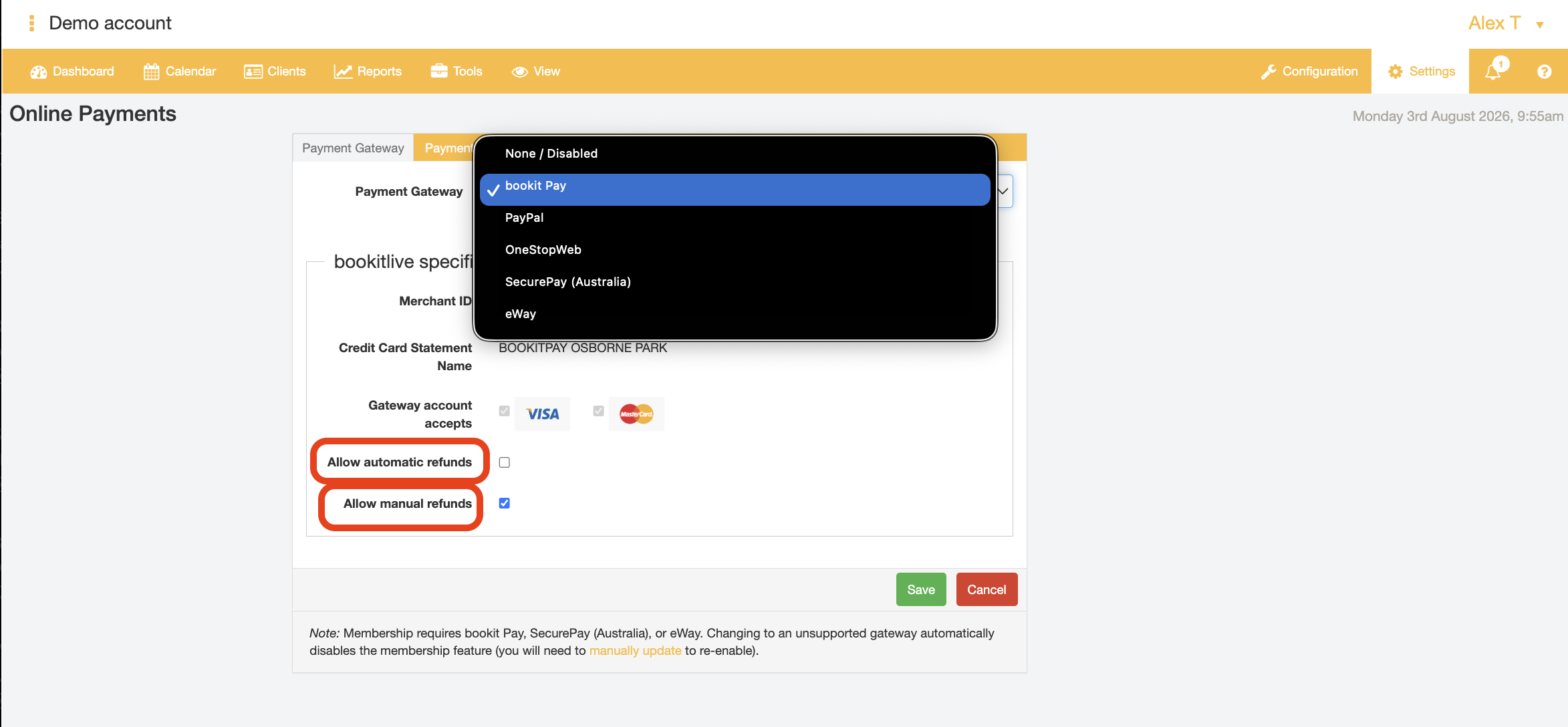
- Click Save to confirm your payment gateway and payment settings selections.
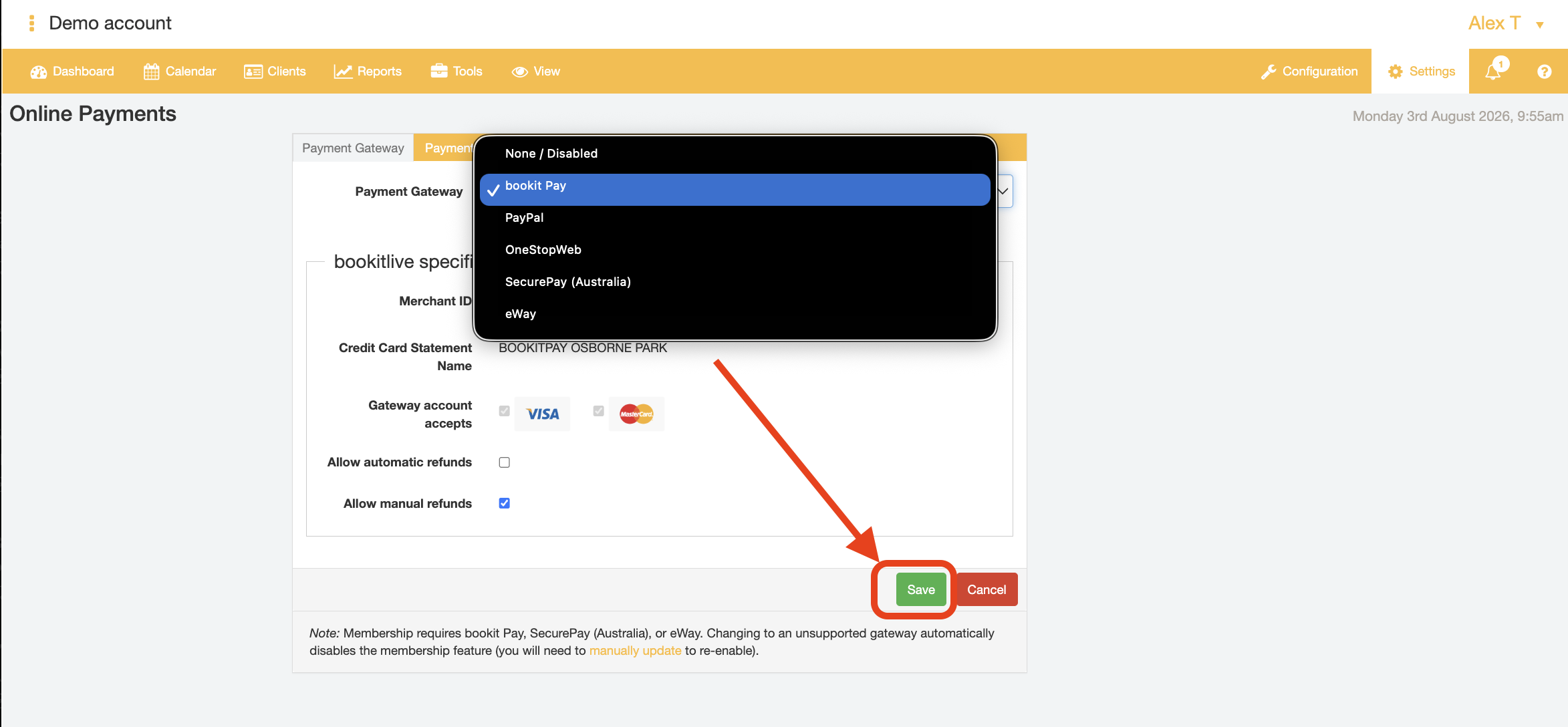
- End.
Configuring a Service to take online (card) payment
BookItLive allows you to select and set the Services that require (card) payments to be taken in order for the Service booking to be completed/finalised. This means you can have your Services set to take payments and other Services that do not require payment can be omitted from requiring (card) payment details to be provided altogether.
- Log in to BookItLive as the Business Owner (administrator) or Manager user.
- Open the "Configuration" tab and select the "Services & Resources" menu option
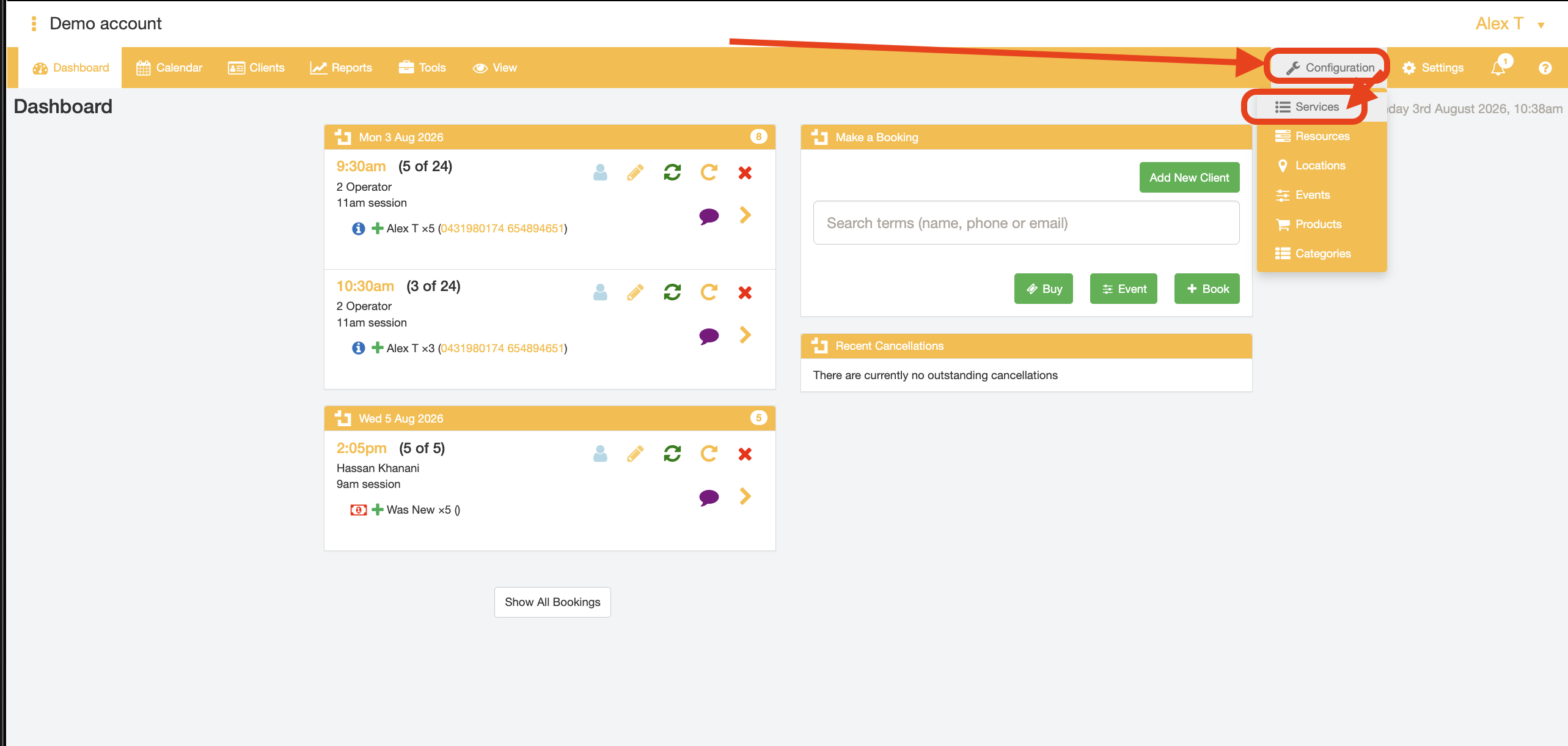
- Open the Service details for the Service of interest by clicking on the BookItLive icon next to the Service name
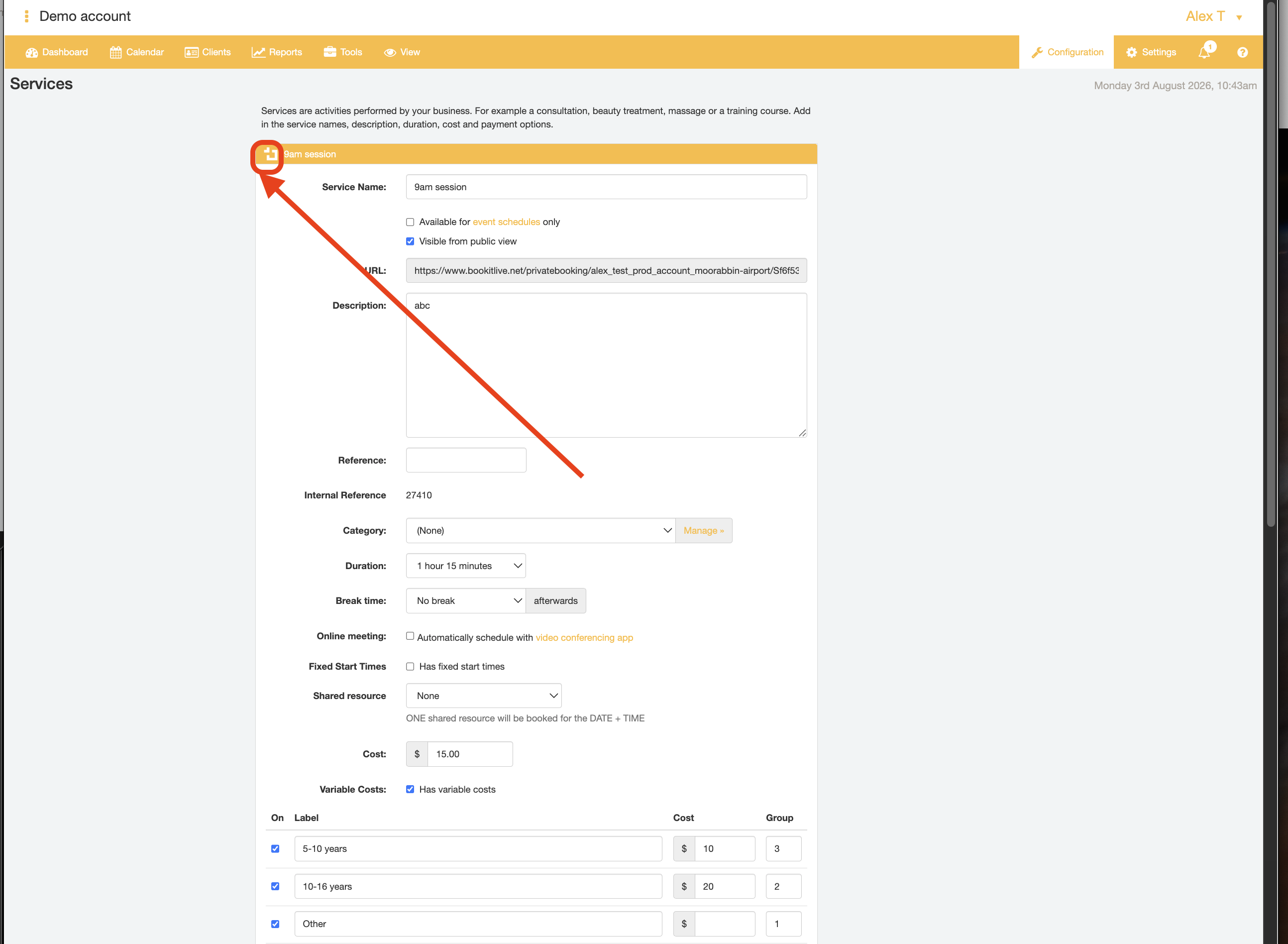
- Tick the Service Payment option "Pay Online"
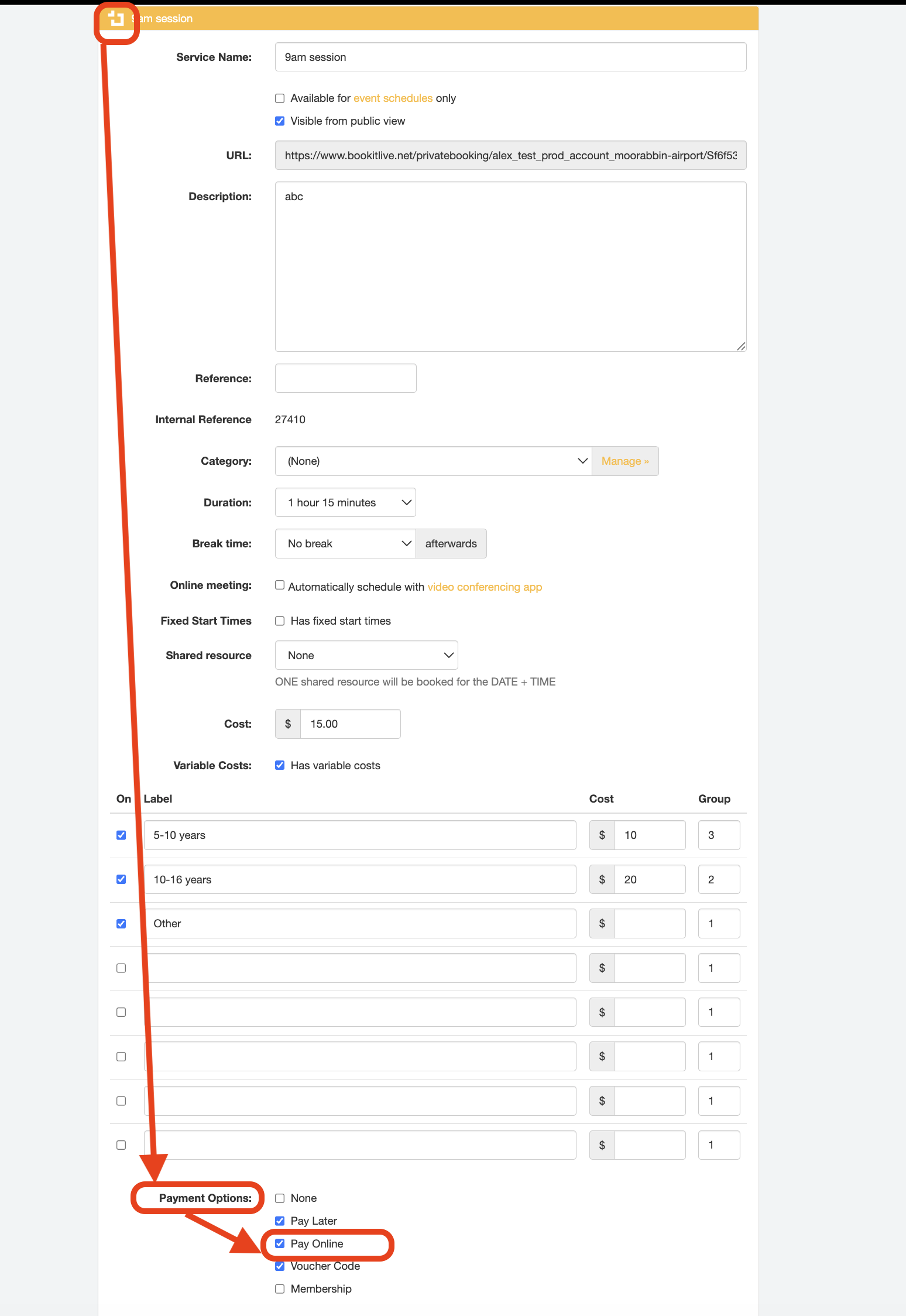
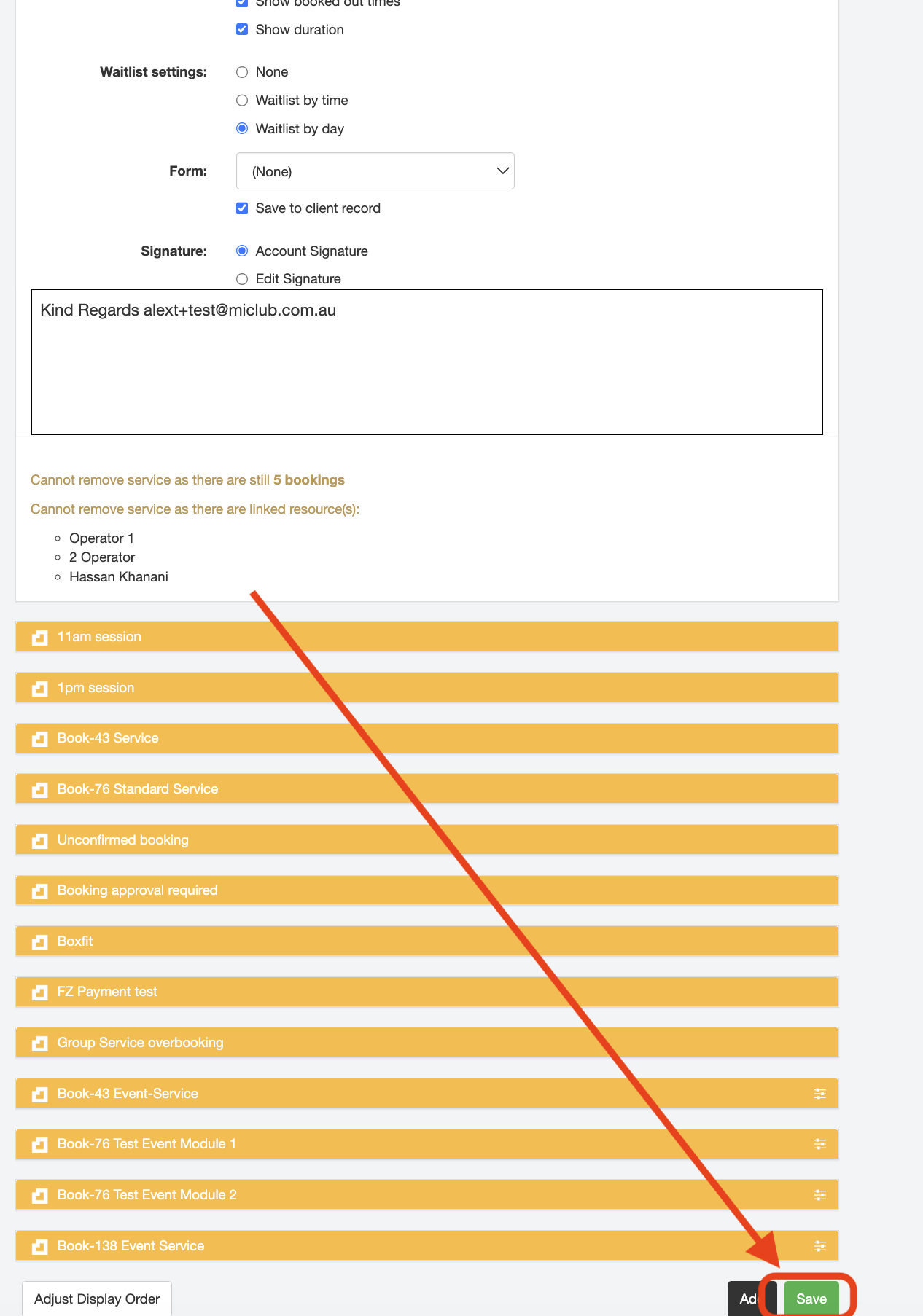
- Click the "Save" button to confirm your Service details selections.
- End.
Was this article helpful?
That’s Great!
Thank you for your feedback
Sorry! We couldn't be helpful
Thank you for your feedback
Feedback sent
We appreciate your effort and will try to fix the article