Before you can use the BookItLive API, you will need to request BookItLive to enable the API on your account. Please submit a support request via our Support Portal to ask for API access to be enabled for your account.
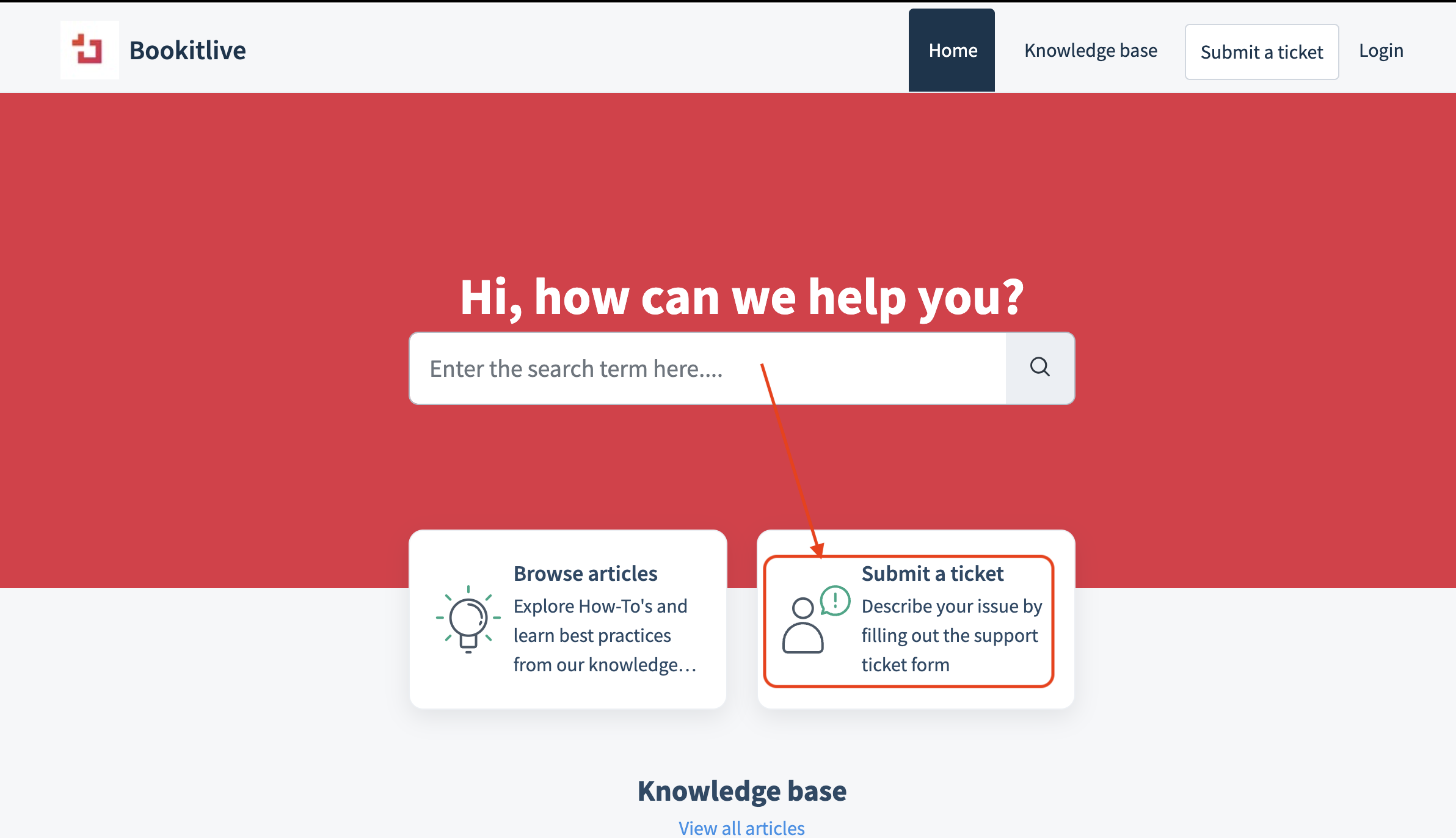
Once BookItLive has enabled your account for API access, you can create an API key to use for your application.
Obtaining BookItLive API key
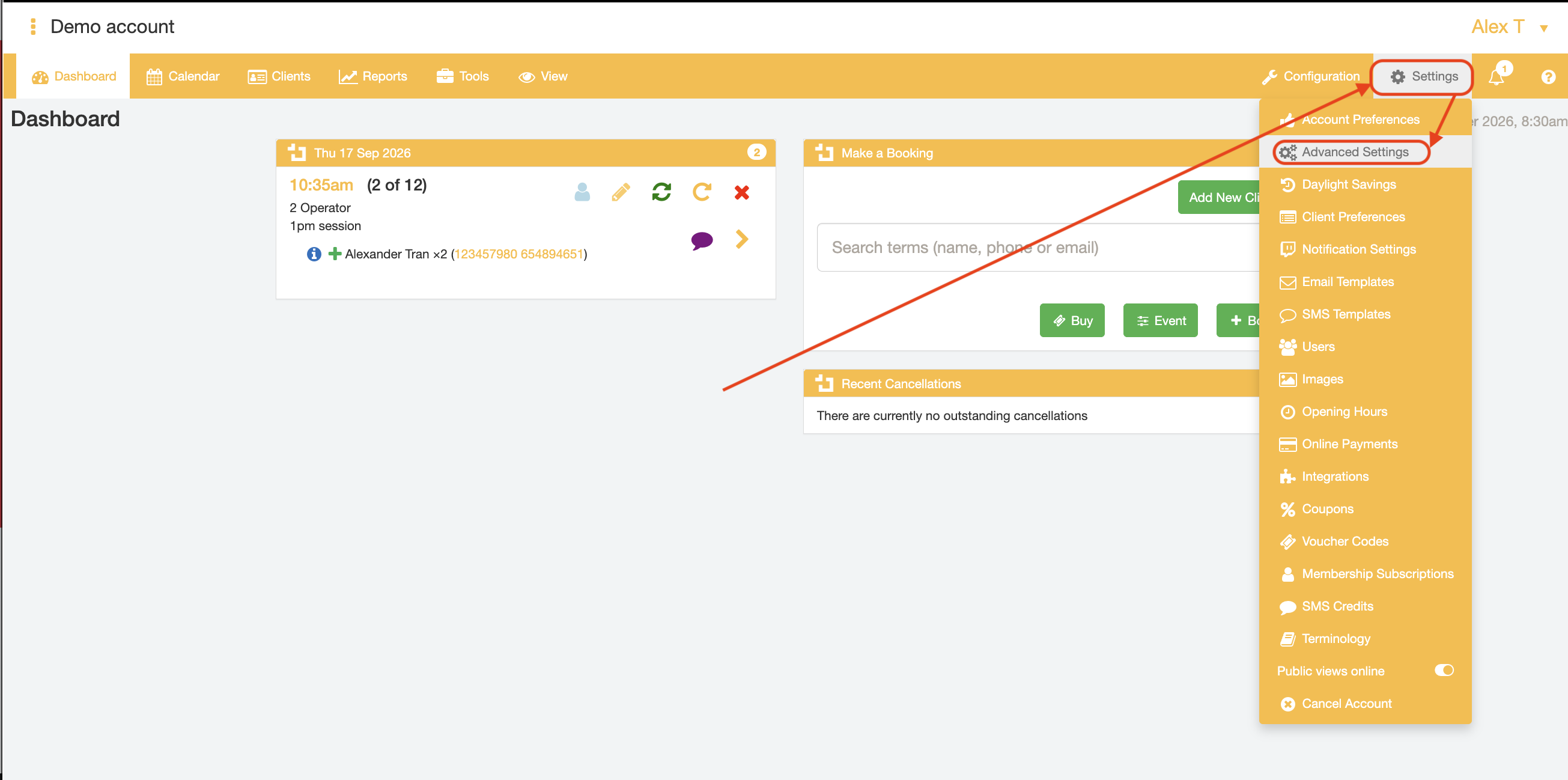
Log into your BookItLive account and use the "Advanced Settings" page to create and obtain your API key.
- Login to your BookItLive account as either the Business Owner (Admin) or a Manager user.
- Open the "Settings" tab and select Advanced Settings from the menu options
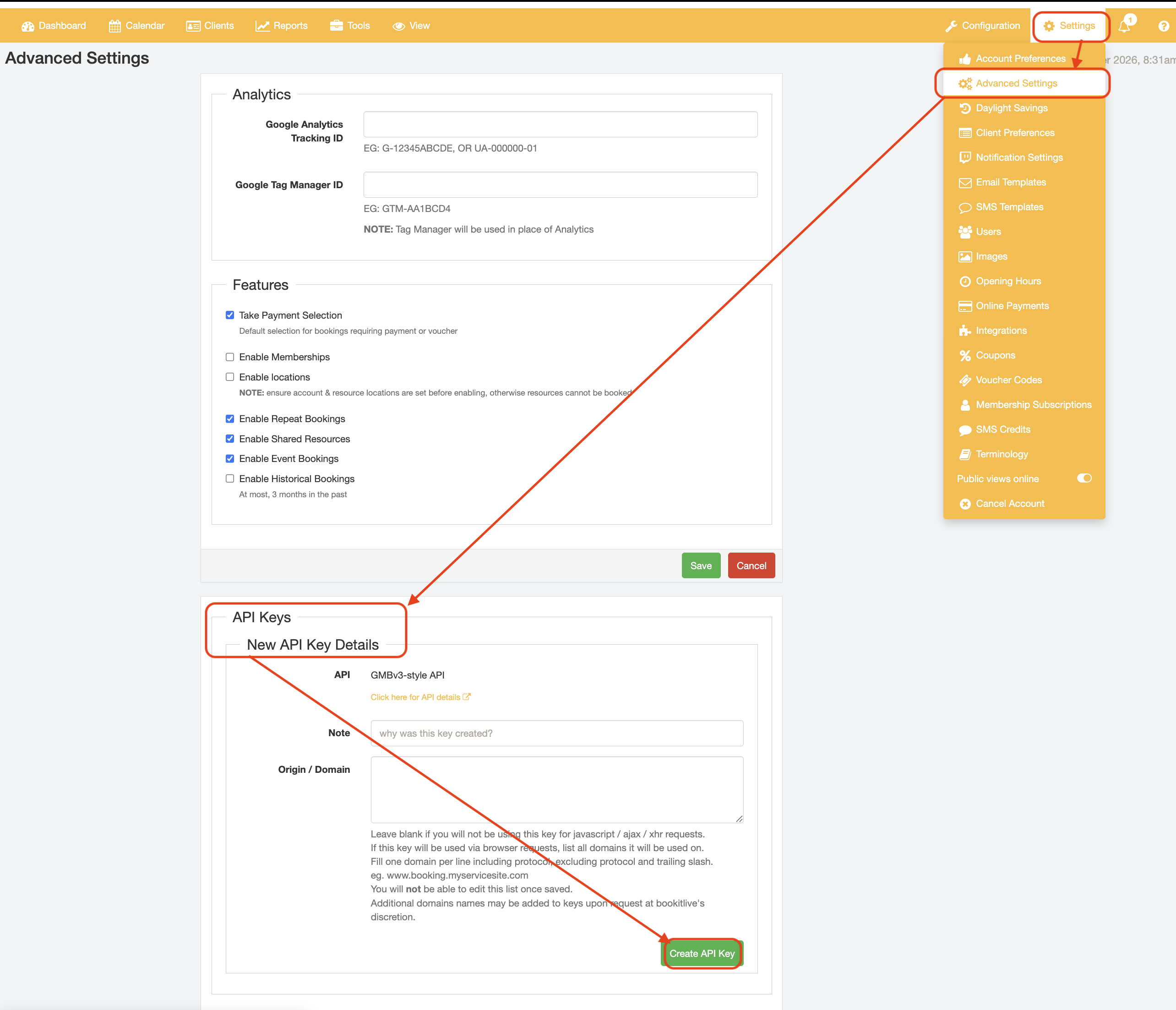
- Use the "Create API Key" button to get an API key for your account. You can create multiple API Keys for integrations with multiple external tools or applications by clicking the "Create API Key" button again.
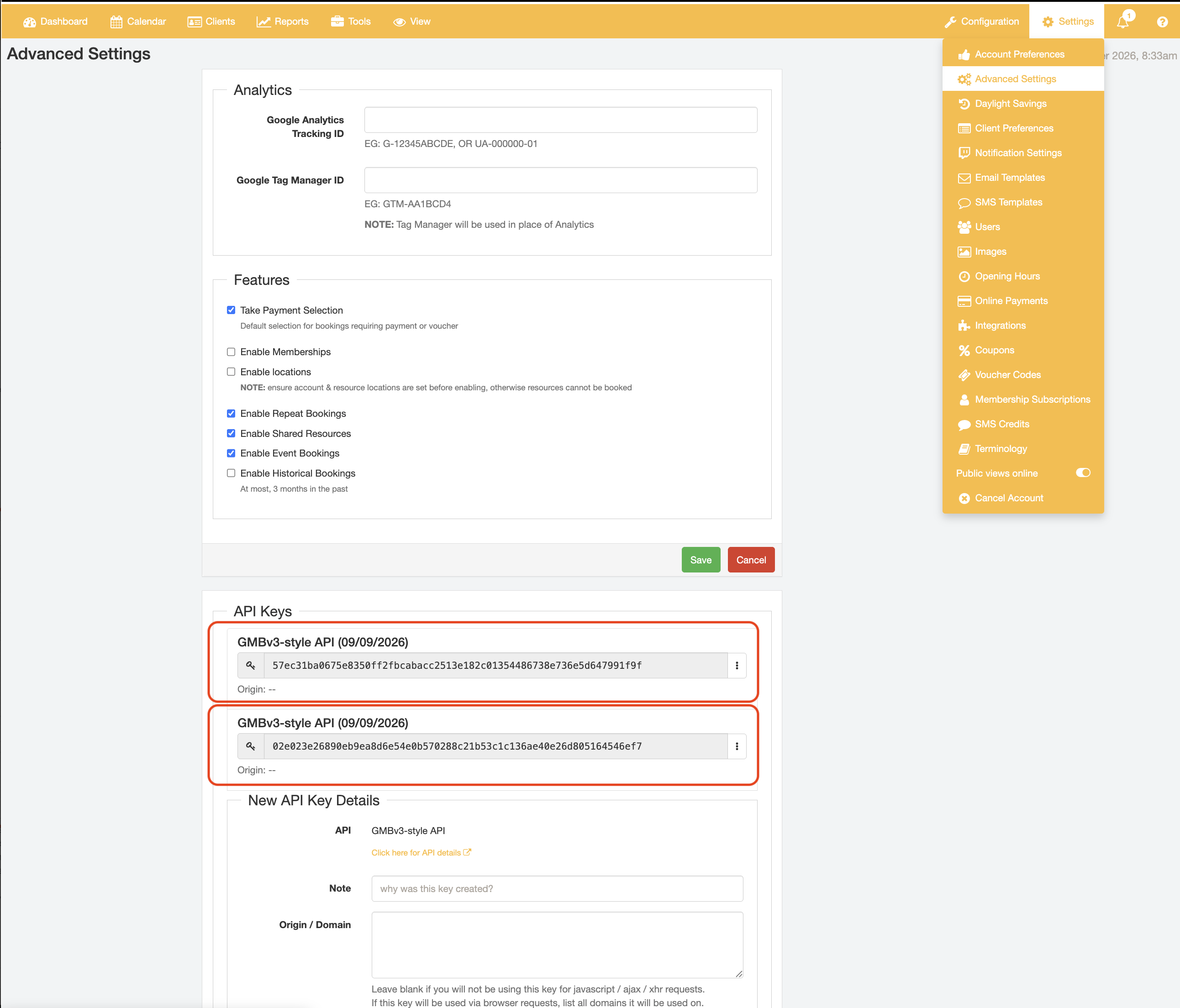
The API key will then be shown on the page. Use the API key for accessing API functions.
- To view to the API Key details, select the API menu next to the API Key of interest and select the "View log" option
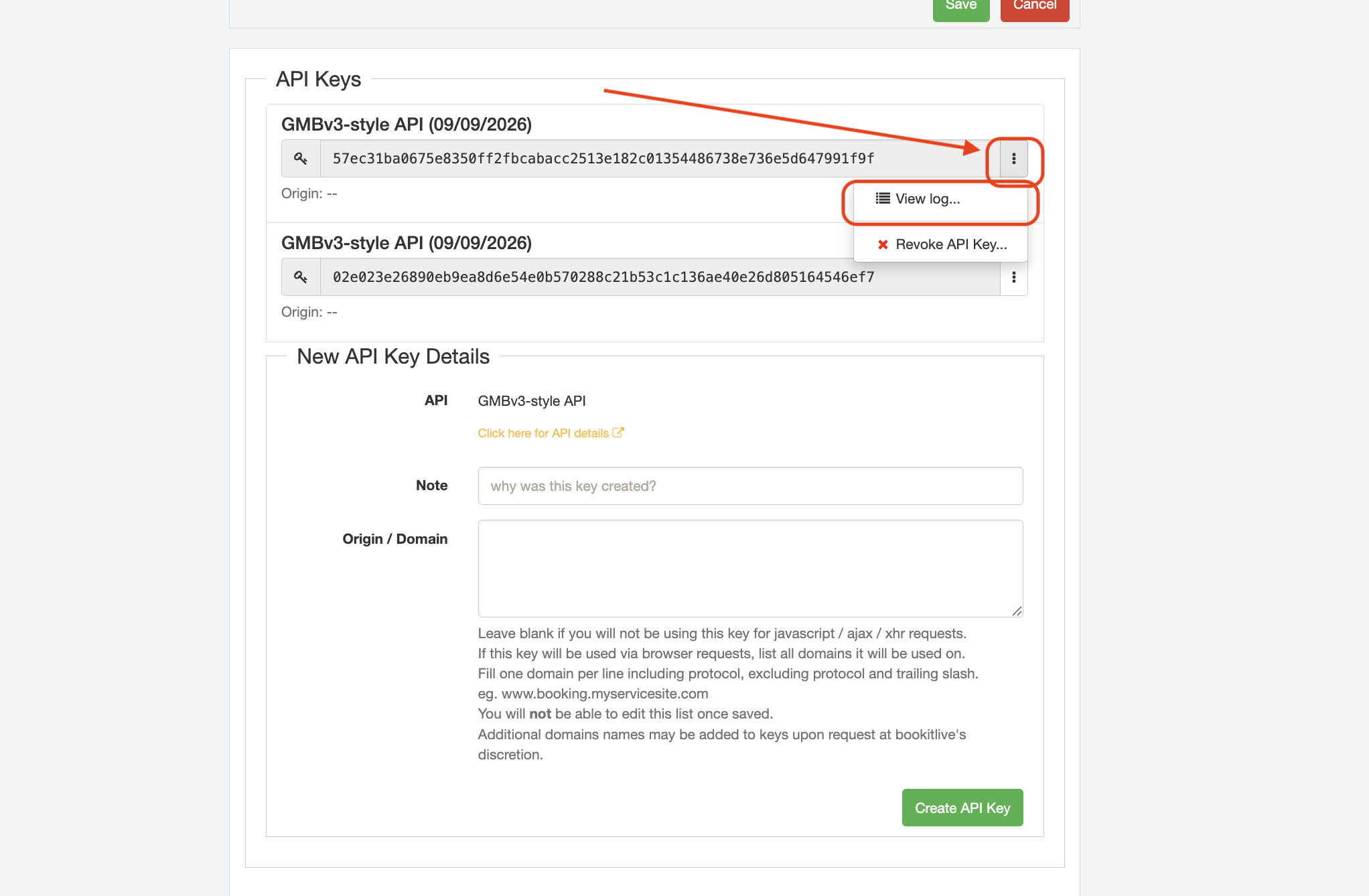
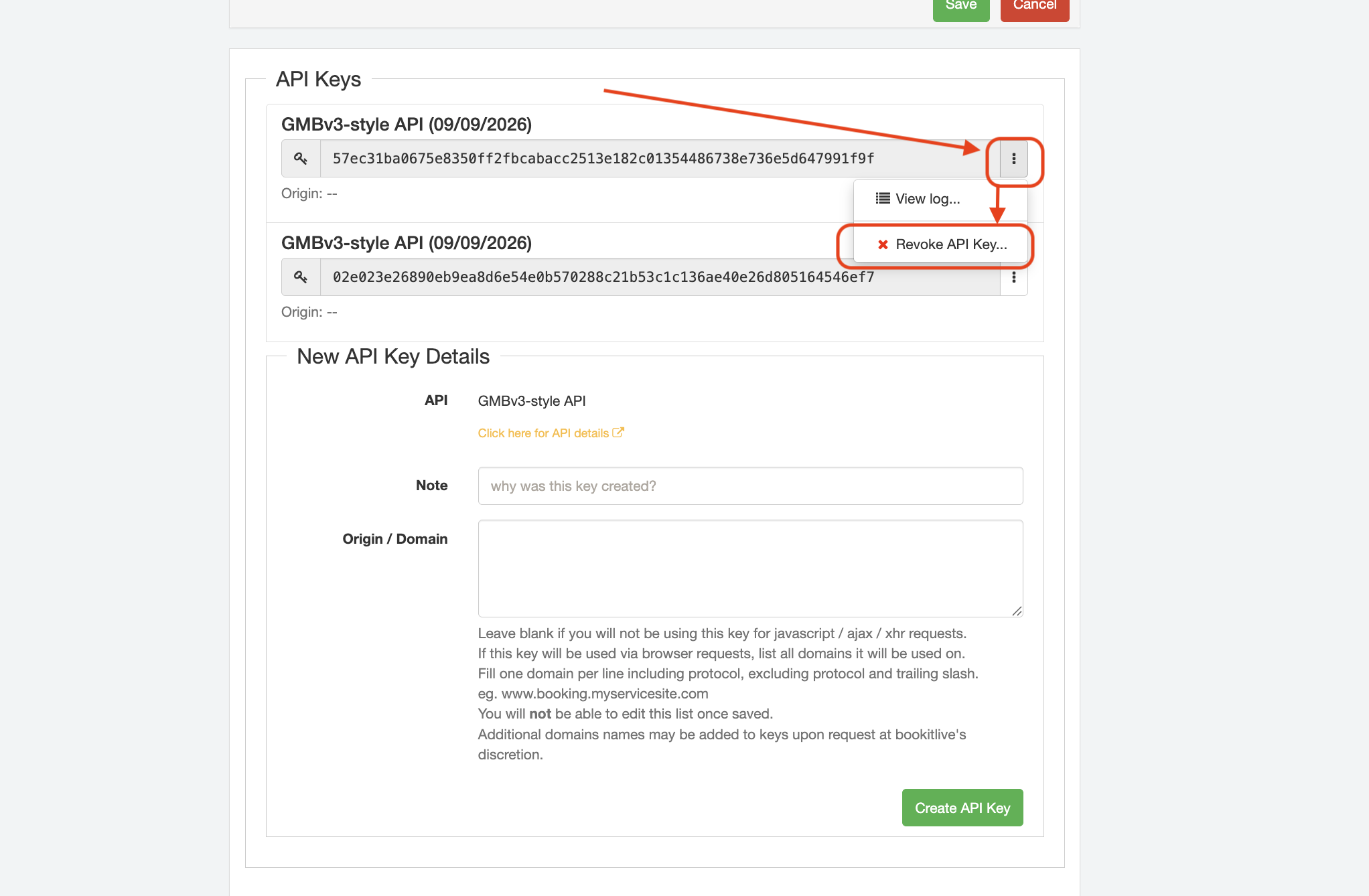
- To remove the API Key, select the API menu next to the API Key of interest and select the "Revoke Key" option
YAML configuration
Download the YAML configuration file using the link below to configure and integrate your 3rd party applications with your BookItLive account via the generated API Key.
The file follows the Swagger 2.0 specification and can be used with compatible API documentation and development tools.
https://test.bookitlive.net/apixdocs/gmbv3.yaml
Was this article helpful?
That’s Great!
Thank you for your feedback
Sorry! We couldn't be helpful
Thank you for your feedback
Feedback sent
We appreciate your effort and will try to fix the article