Follow-up Rules
Follow-up rules are used to set when your follow-up notifications will be automatically sent after a booking has been delivered. Businesses could use follow-up notifications to capture satisfaction and feedback information from customers who have attended the business' Services, or to send promotion information to encourage customers for greater repeat business.
bookitLive understands that different type of businesses require follow-ups to be sent at different times, so we allow you to set up the times that the follow-up are sent.
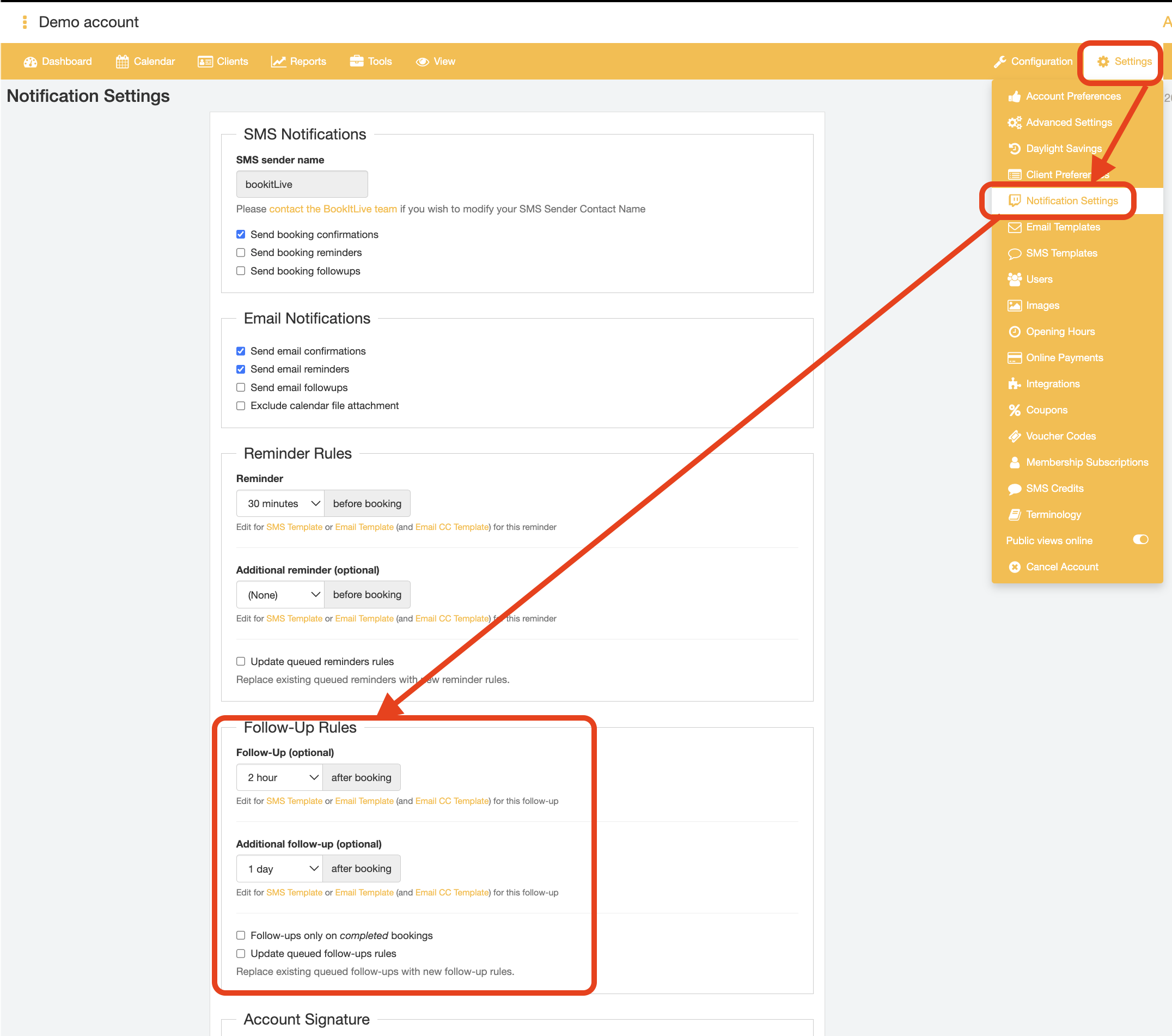
The default setting is none (no follow-up notifications sent). The follow-up (1st follow-up) time can be changed to one of the following time periods.
Follow-up time options include:
- None
- 1 hour
- 2 hour
- 1 day
- 1 week
- 3 months
- 6 months
- 12 months
An optional additional follow-up (2nd follow-up) can be set, allowing 2 follow-ups to be sent per booking.
Additional follow-up time options include:
- None
- 1 hour
- 2 hour
- 1 day
- 1 week
- 3 months
- 6 months
- 12 months
Note: The follow-up (1st follow-up) will always be the follow-up the is sent closest to the booking time. If you set the additional follow-up to a closer time to the booking than the 1st follow-up, when it is saved the times are automatically swapped so that the "Follow-Up" field will be set to the shorter time period, and the "Additional Follow-Up field will be set to the longer time period of the two.
Applying new follow-up notification delivery timings for existing follow-up notifications
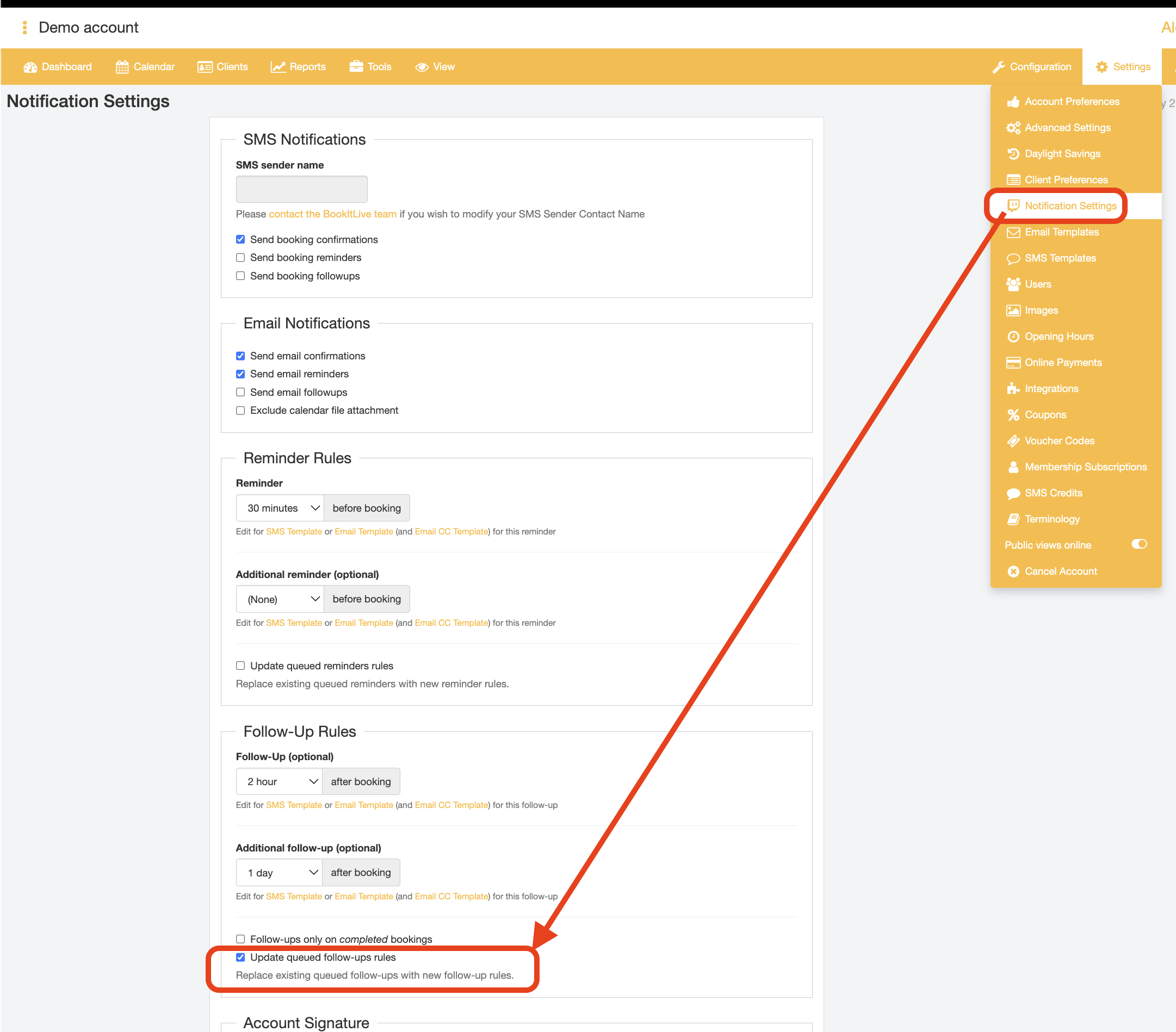
Follow-up notification times can be adjusted to change when the follow-up notification is delivered to the customer. If there are any follow-up notifications that were due to be sent out before a change in follow-up times was made, these pending existing follow-up notifications can be sent at the new follow-up times by checking the "Updated queue follow-ups rules" checkbox before saving the updated follow-up notification settings.
Modifying the Follow-up notification message body - Follow-up Email Templates
Dedicated email templates exist for both the customer follow-up (1st follow-up) and customer additional follow-up (2nd follow-up) to allow for targeted follow-up messages to be sent for each follow-up notification enabled. For more information regarding customising the body of the follow-up notification email template, check out the article about modifying Email Templates.
Modifying the Follow-up notification message body - Follow-up SMS Templates
Similar to the distinct follow-up email template, BookItLive offers separate SMS templates for the customer follow-up (1st follow-up) and additional customer follow-up (2nd follow-up) to allow for a different message to be sent per follow-up notification.
For more information regarding customising the body of the follow-up notification email template, check out the article about modifying SMS Templates.
Follow-up on Completed bookings
You might only want to send follow-ups to customers that you have confirmed have actually attended the session. This may be useful in the scenario where a customer has made a booking with your business but for whatever reason did not show up to their appointment and you do not want the automated follow-up message to be sent such customers.
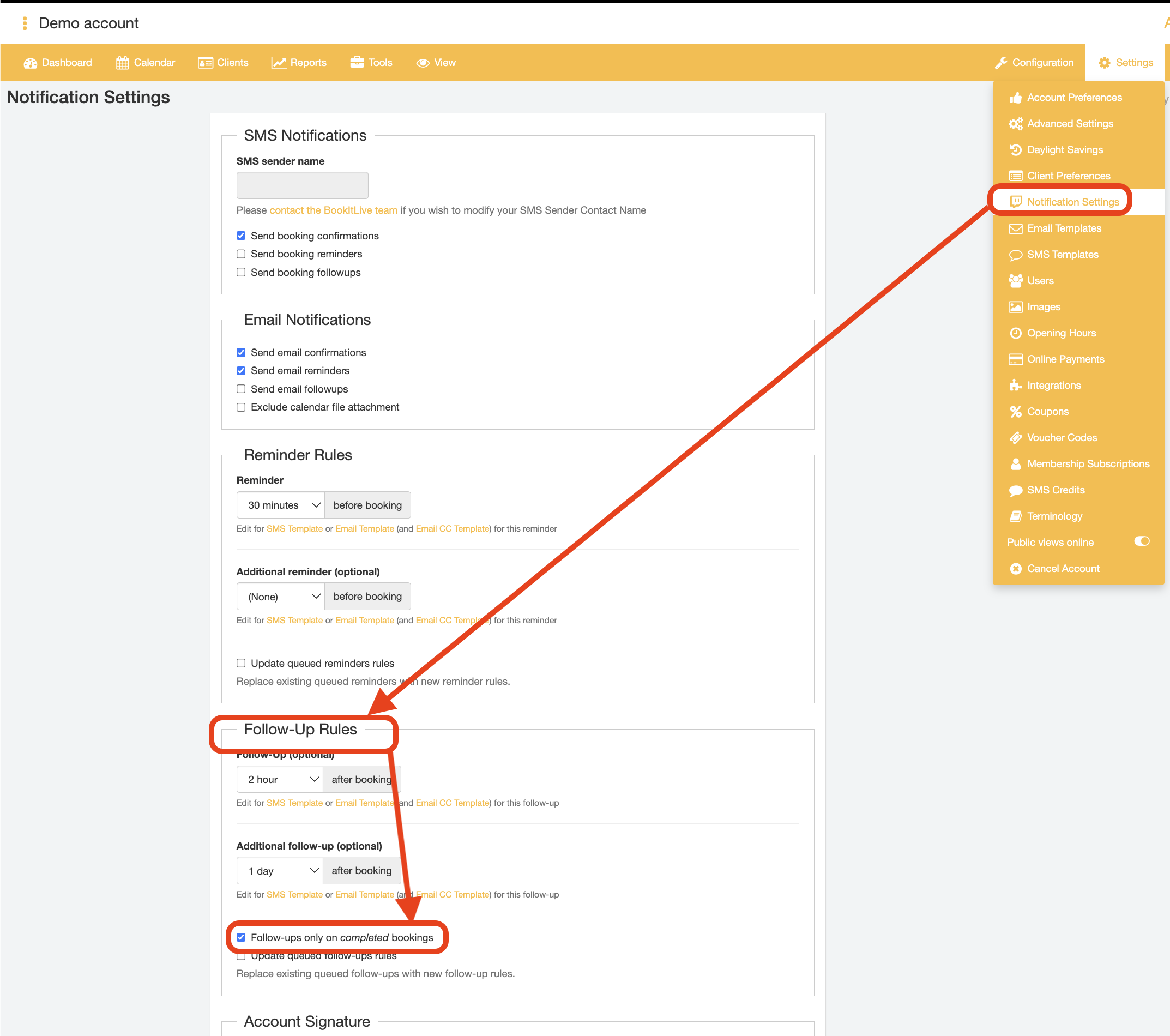
This can be configured by using the option "Follow Up on Completed Bookings". Enabling this setting ensures that any follow-up notifications will only be sent when the booking status has been set to Completed in the booking details.
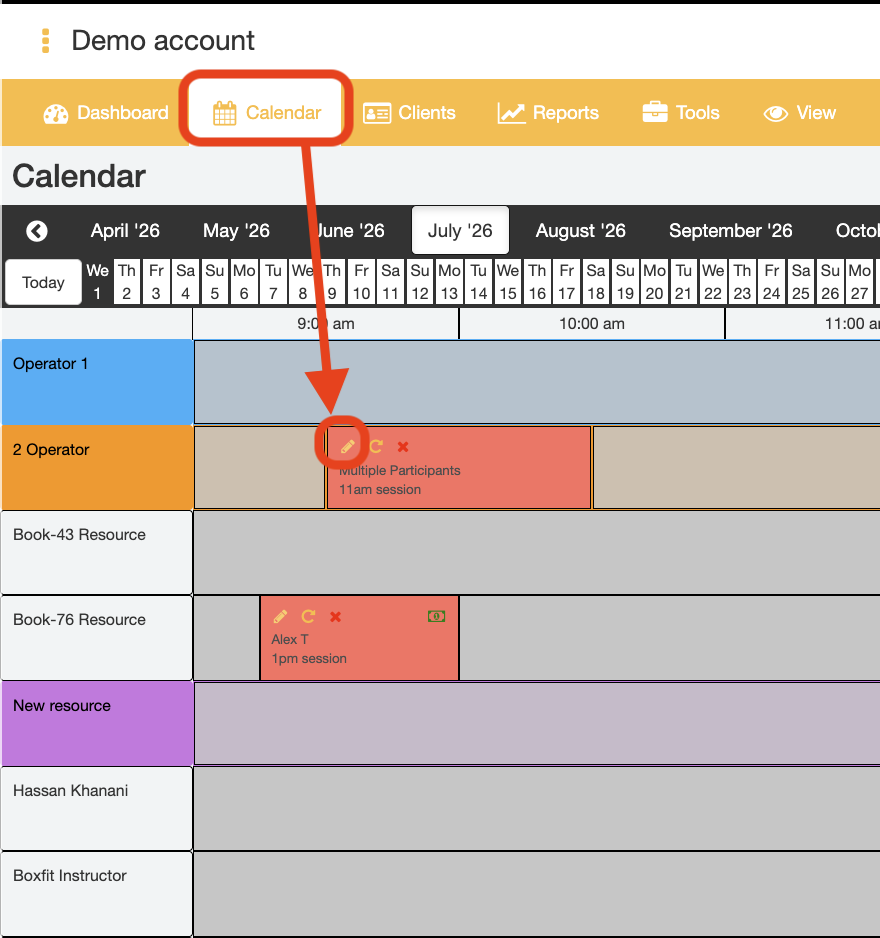
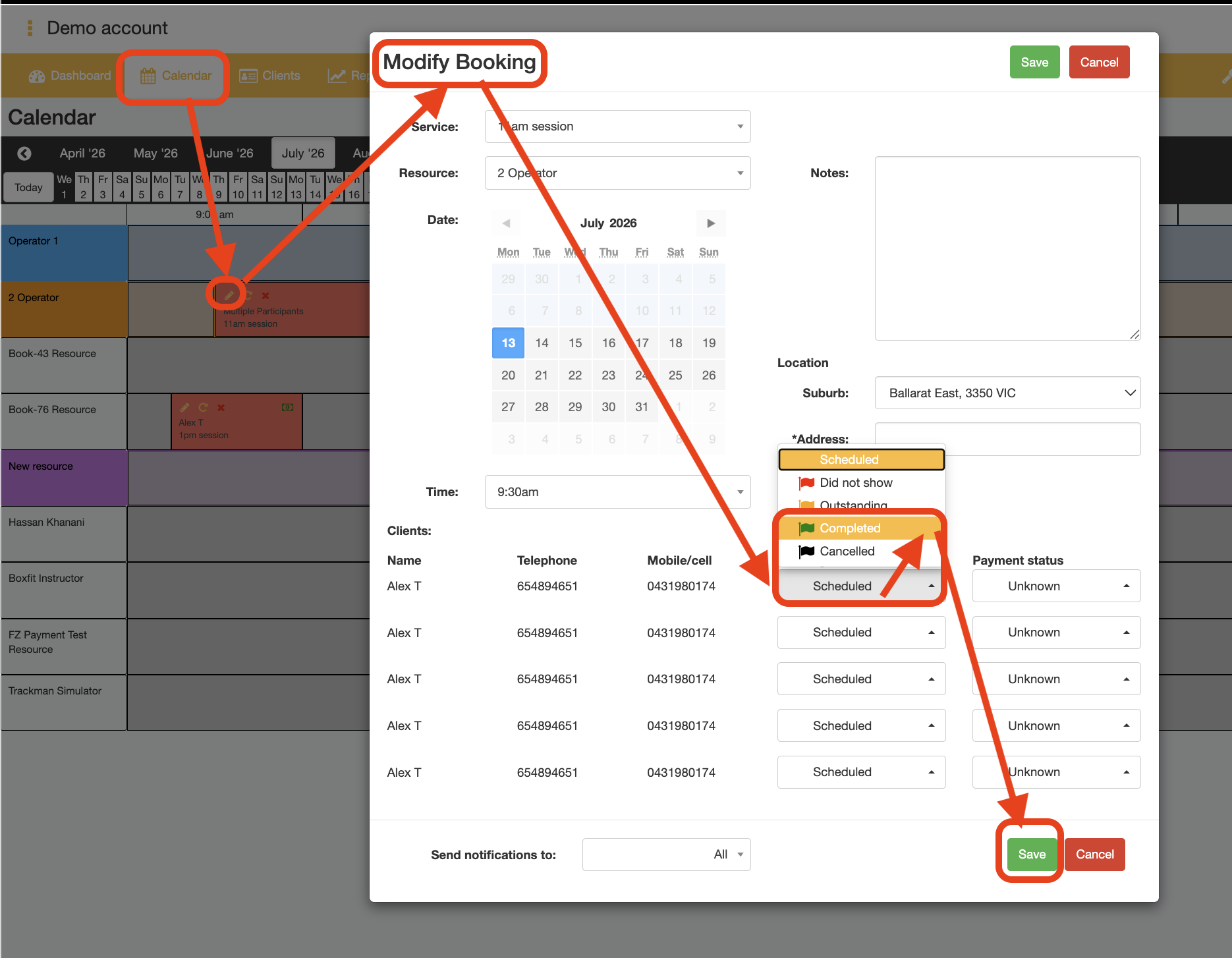
Note: the BookItLive application will only become aware that the customer completed (attended) their booking when the business user manually updates the booking status in the booking details. The Booking Status value can be updated from the Calendar page by tracking the booking time down, opening the "Modify booking" window (pencil icon next to booking record), then changing the "Booking Status" field.
Via Calendar page
Was this article helpful?
That’s Great!
Thank you for your feedback
Sorry! We couldn't be helpful
Thank you for your feedback
Feedback sent
We appreciate your effort and will try to fix the article