Some businesses create a user login for you as a Customer. When this occurs, you will need to retrieve your password so you can make your first booking.
Retrieving you password when booking for the first time
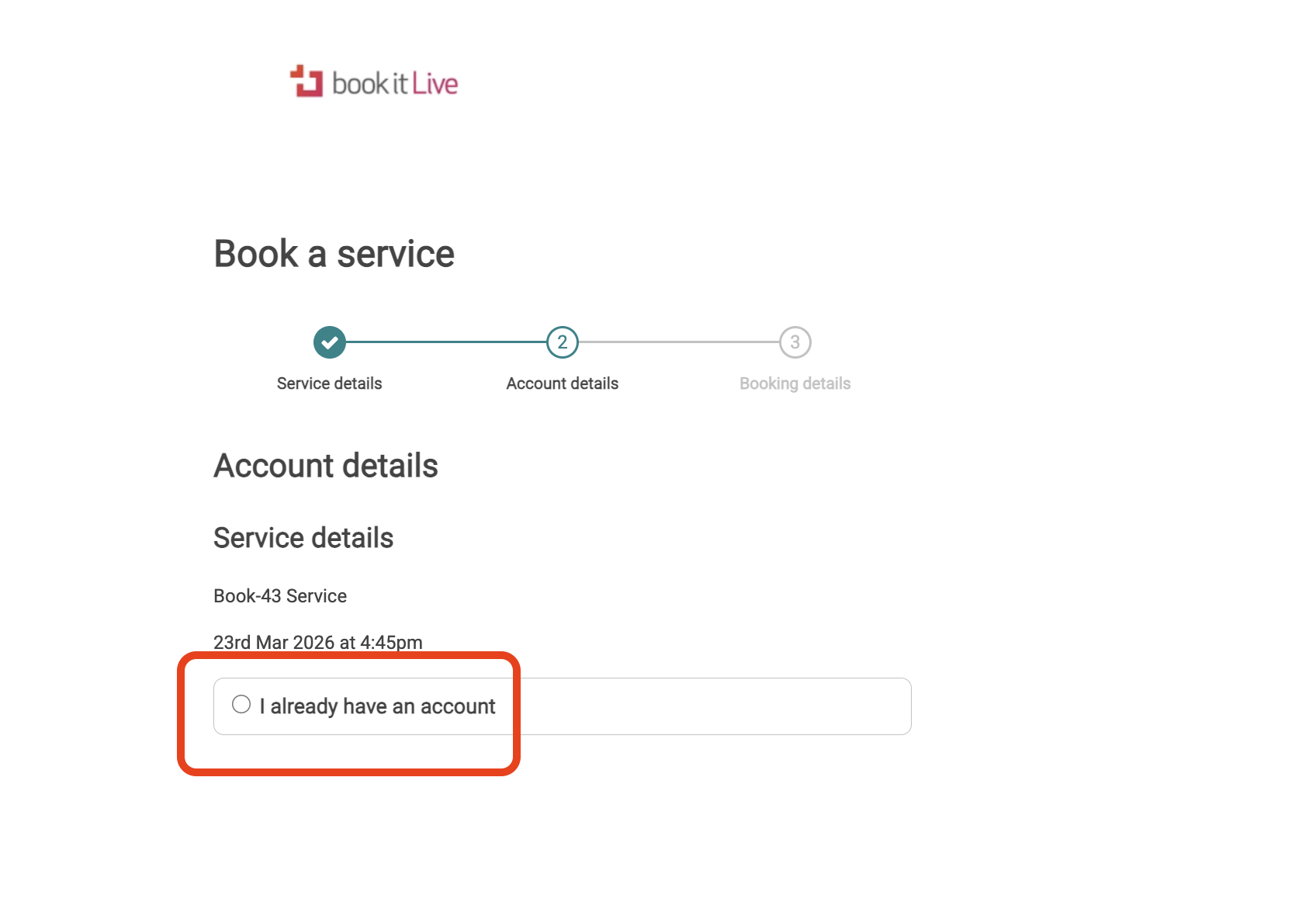
Follow the booking process until your reach the page where you are asked if you "Already have an account" or "Create an account"
- Select "I Already have an account"
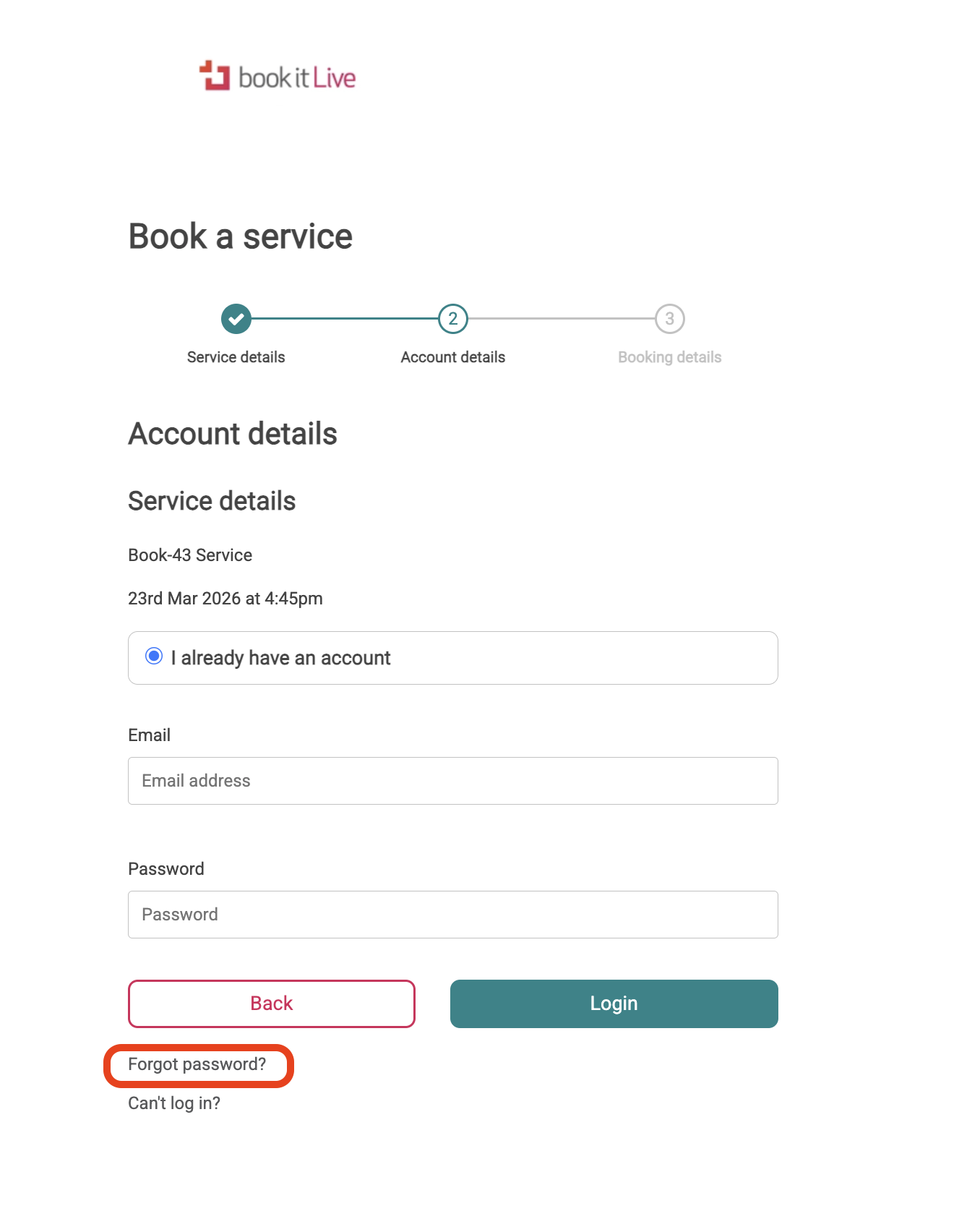
- Select "Forgot password" link
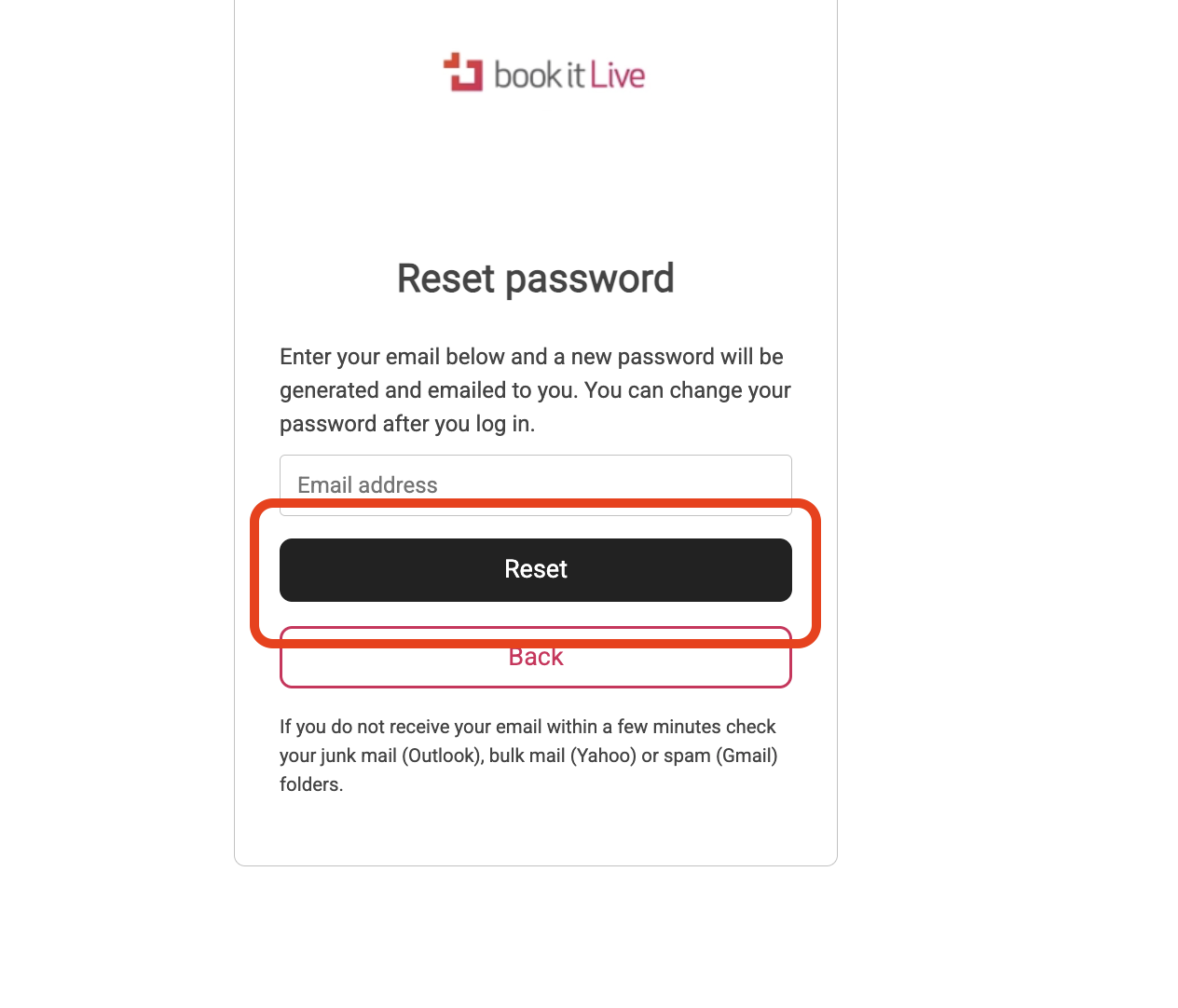
- Enter your email address and select "Reset"
- Check your email and find the reset email that was sent with the system generated password.
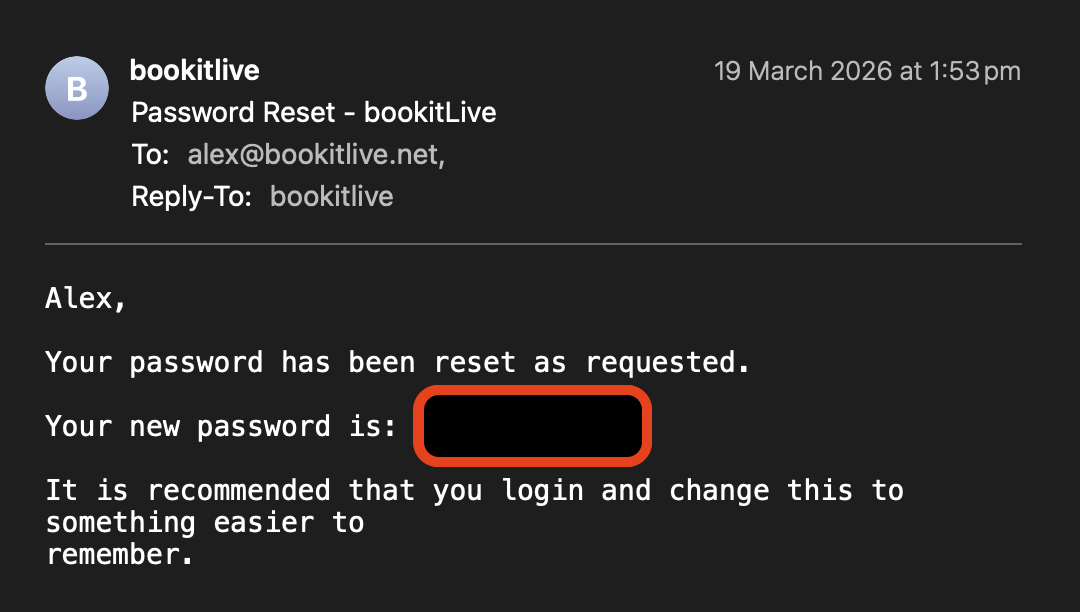
- Use this password when making the booking.
- To avoid typing the wrong password we recommend you copy and paste.
Resetting you password
Once you have completed your booking, you can reset your password:
- Select the Current Bookings button to access your dashboard.
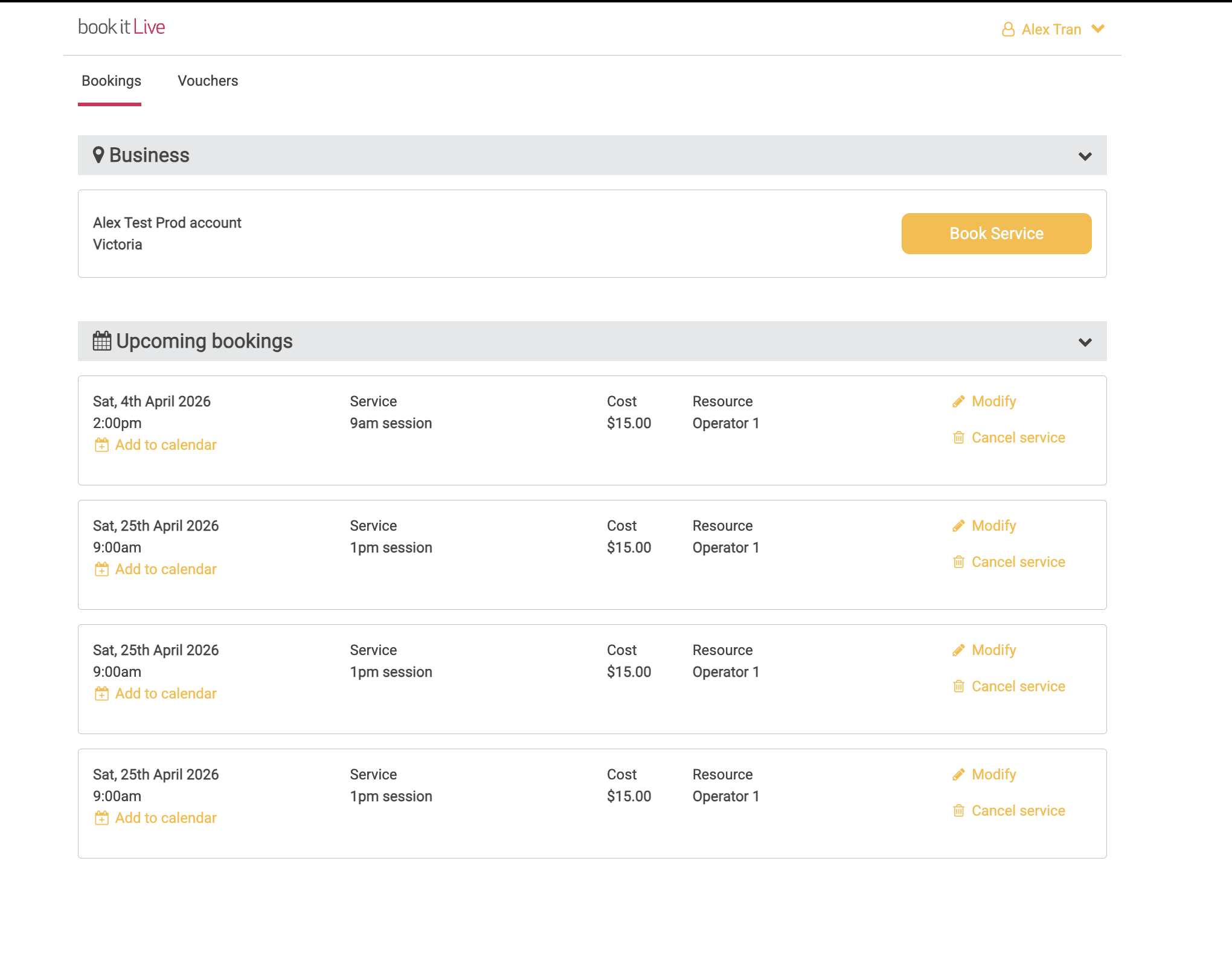
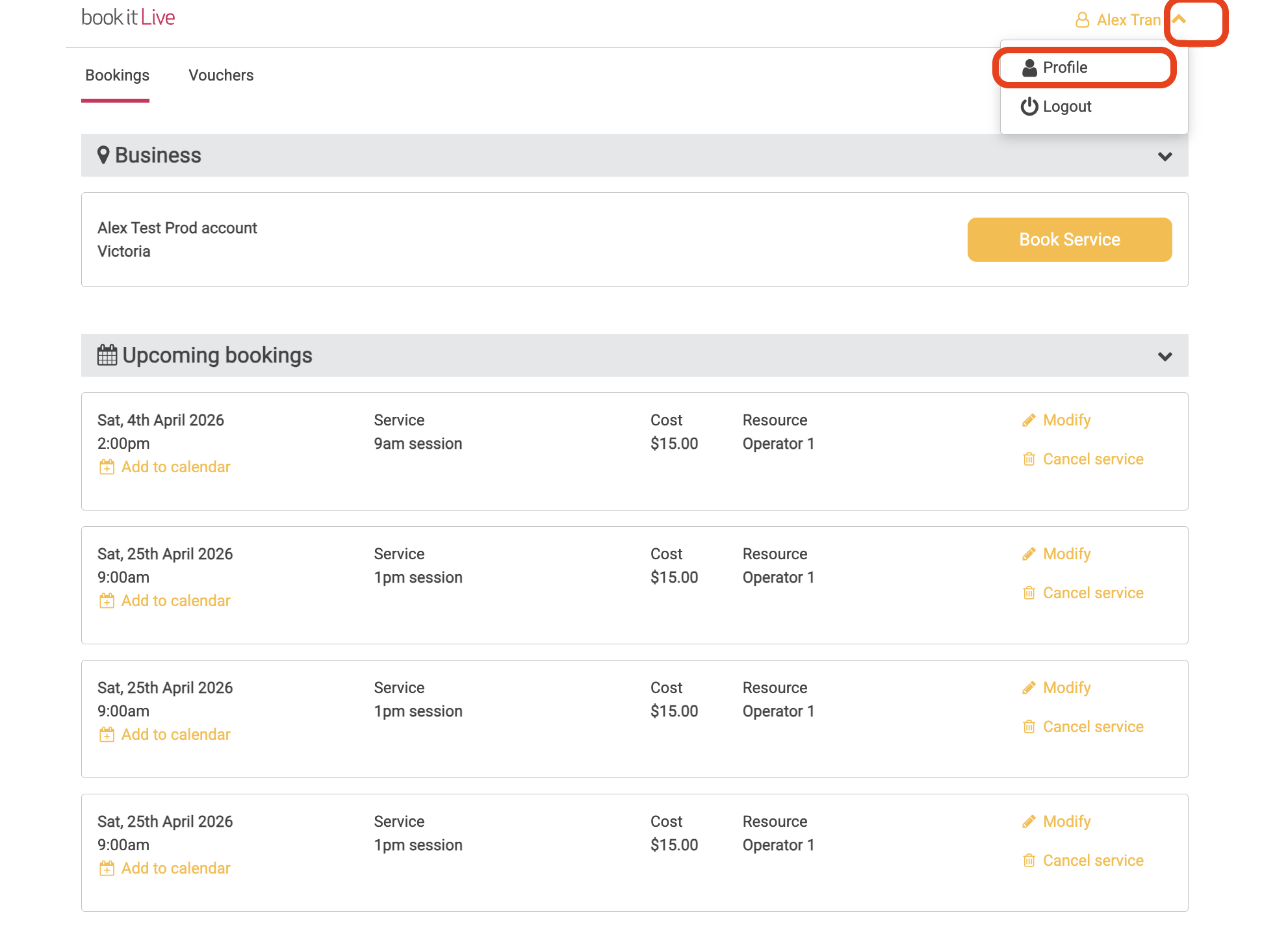
- From your dashboard select the Profile tab
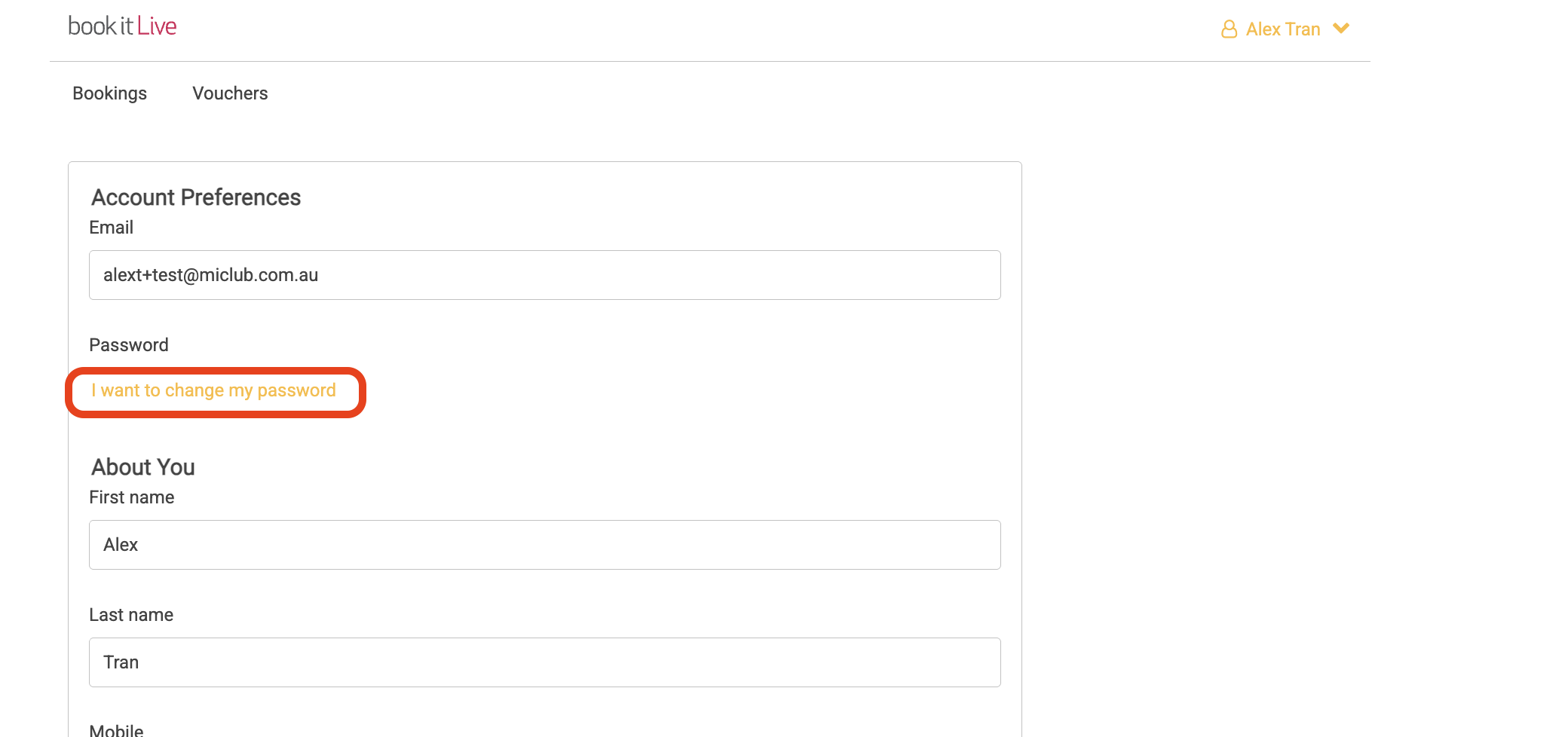
- Change your password by selecting I want to change my password
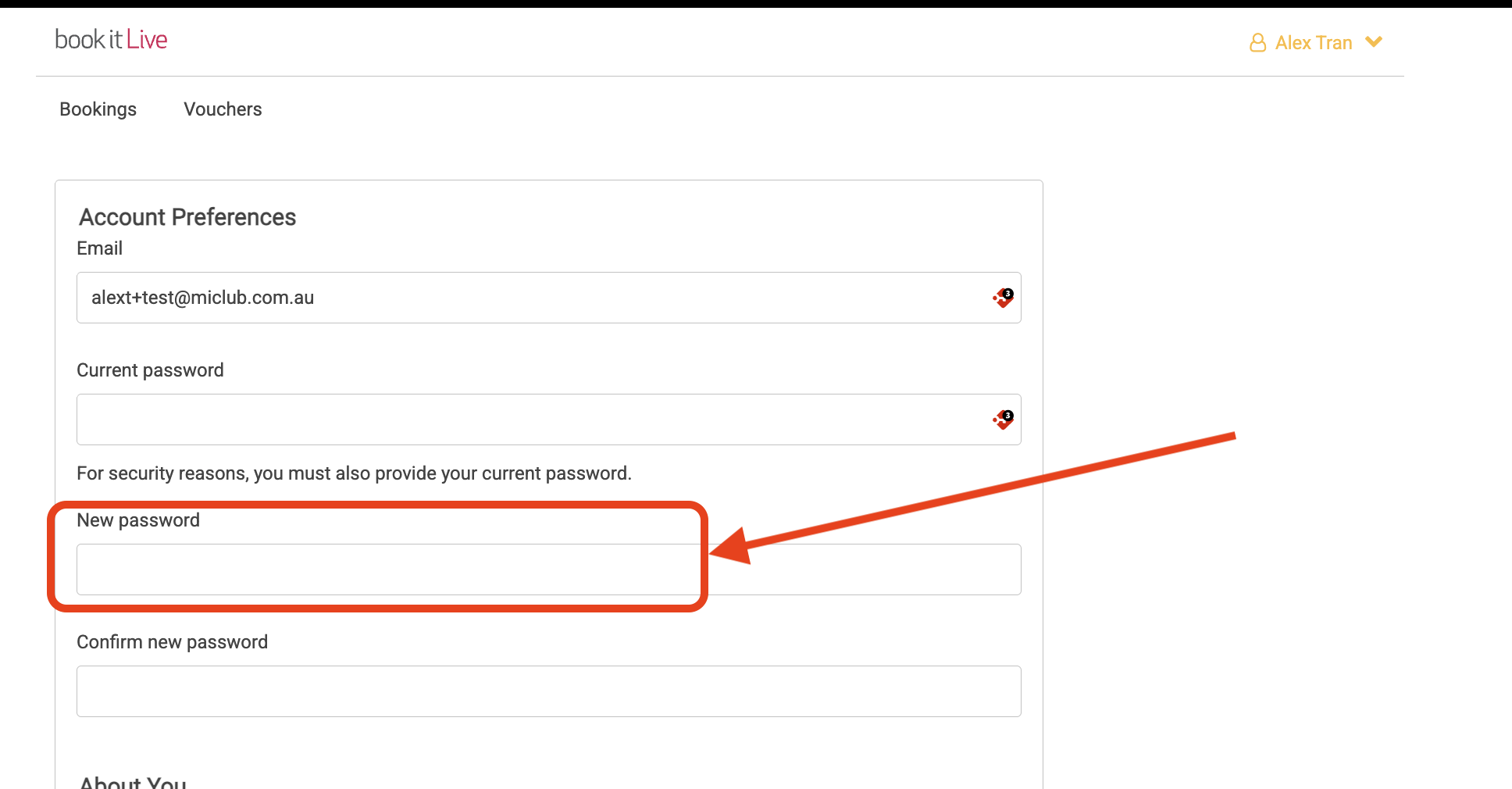
- Enter your existing password in the "Current Password" field.
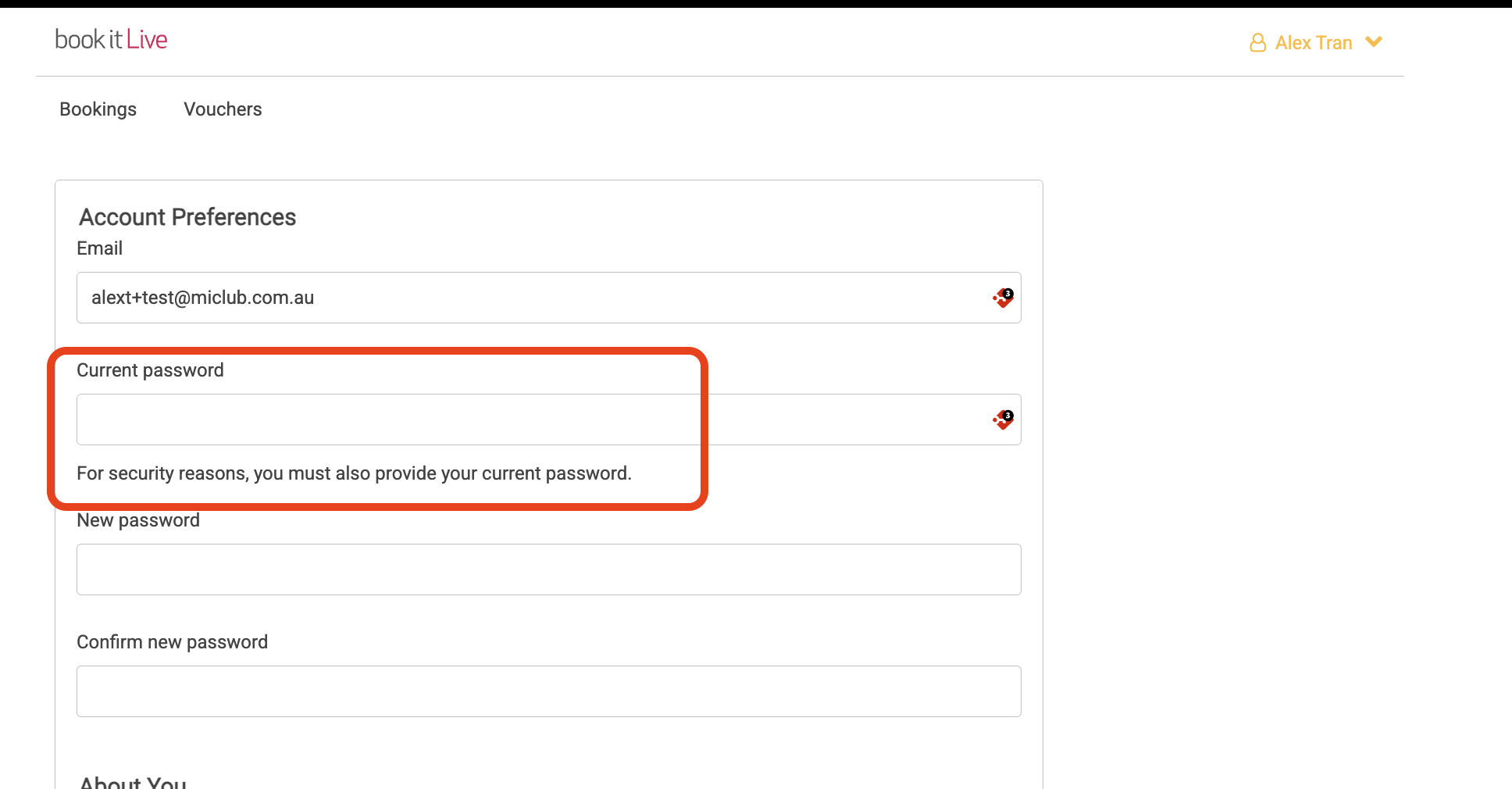
- Enter your new password in the "New password" field.
- Note that the password must be at least 8 characters long and contain at least one numeric character.
- Note that the password can't also be exactly the same as the existing password.
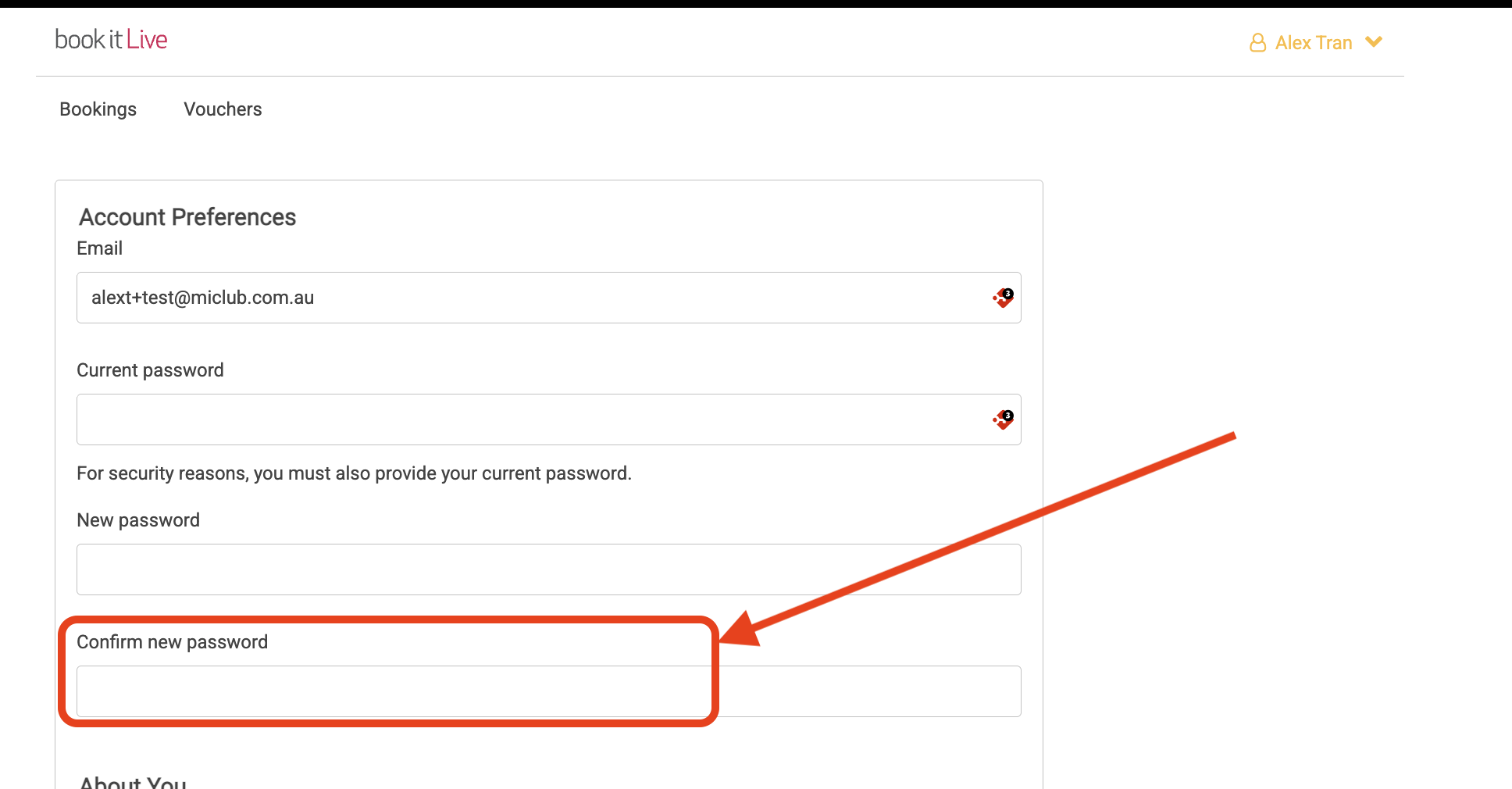
- Re-enter the "Confirm new password" field.
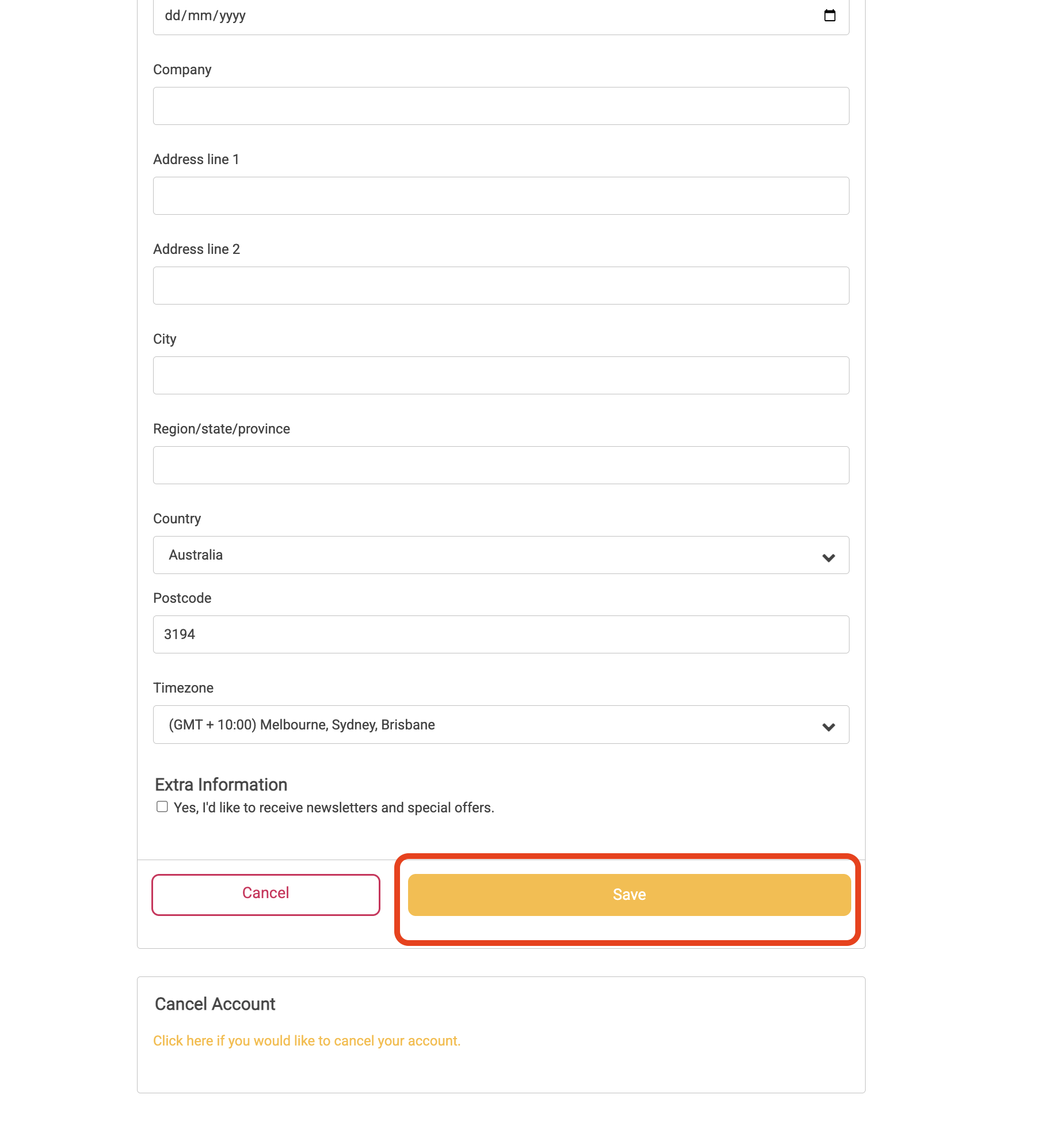
- Click "Save" to confirm changes
- End.
Was this article helpful?
That’s Great!
Thank you for your feedback
Sorry! We couldn't be helpful
Thank you for your feedback
Feedback sent
We appreciate your effort and will try to fix the article